There are sometimes situations when there is necessity of finding e.g. source of error statement in Strategy. It can be useful e.g. in customizing those statements for your purposes such as adding extra links which can re-direct receiver of such statement to other page or sharing more information related to prompted error message.
You can achieve that by following tech notes listed below:
https://www2.microstrategy.com/producthelp/Current/WebSDK/Content/topics/webcusteditor/WCE_Deploying_Configuring_the_Web_Customization_Editor.htm
Start from: Using the Web Customization Editor to create a plug-in, but only till 4th step (including 4th)
https://www2.microstrategy.com/producthelp/Current/WebSDK/Content/topics/scenarios/WEBSDK069.htm
Nevertheless in the links above there is no information how to find proper files which should be edited so this is the moment when grep command would be useful.
According to Wikipedia grep is a command-line utility for searching plain-text data sets for lines that match a regular expression. Its name comes from the ed command g/re/p (globally search a regular expression and print), which has the same effect: doing a global search with the regular expression and printing all matching lines. Grep was originally developed for the Unix operating system, but later available for all Unix-like systems.
So this is a command being used in Linux machines but there is also possibility to use such functionality on Windows operating system. However this will be not doable with command manager within this method but with additional application which you can find under the following link :
https://windows-grep.en.uptodown.com/windows
After installation of this application only thing you have to do is to follow step listed below:
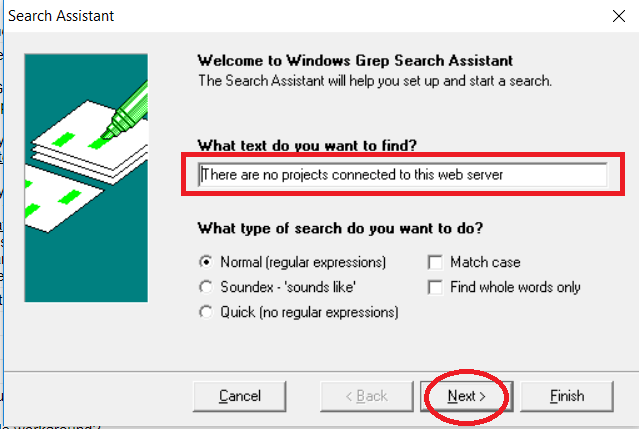
Type here text you want to find and press next
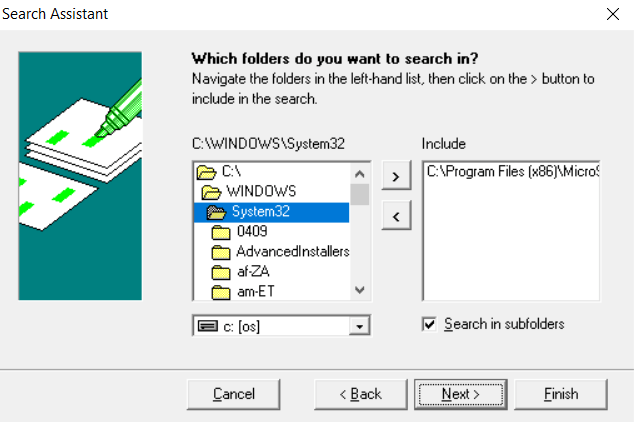
Choose folders where you want to find the text and press next
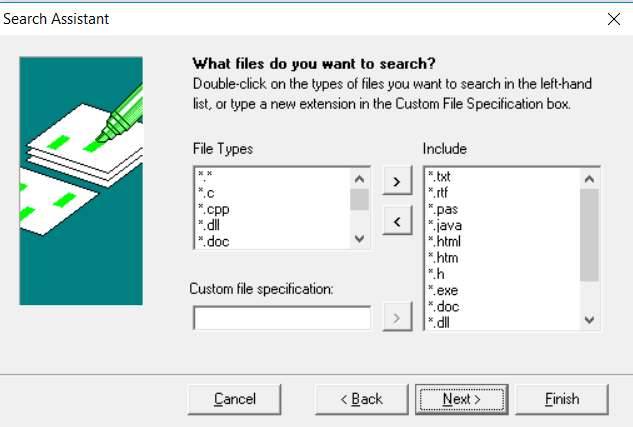
Select types of files you want to be considered and press next
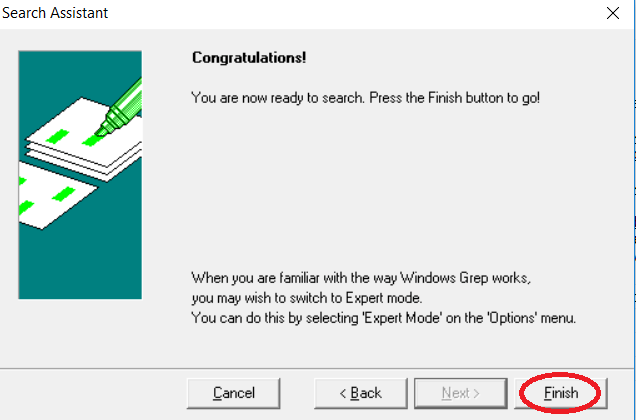
After that only thing you have to do is to press finish button.
When the files are founded and edited properly as it is described in articles listed below you can observe customized error statements.
KB441582
