HyperIntelligence for Office is an add-in for both the desktop application and online version of Microsoft Outlook that gives users access to cards in their environment. When the add-in is enabled, HyperIntelligence appears in a panel on the right-hand side of the screen. While viewing your emails, cards related to an email's subject, the sender, the recipient, or the content in the body of an email appear. Hover or click on the keyword matches to view cards with enterprise information.
To better understand how HyperIntelligence for Office works, see how the data is refreshed, how enabling/disabling card behavior differs with a single node versus multiple nodes, and what a general workflow looks like when the add-in is used.
By default, your data is refreshed whenever you launch the add-in from the Outlook toolbar or log into the add-in. However, you can also do the following actions to refresh your data:


When you enable a card, HyperIntelligence will check if the cache is outdated and conduct a cache refresh if needed.
When you disable a card, HyperIntelligence will filter out the card match results, but it will not clear the cached data.
On a single node, this behavior looks like:
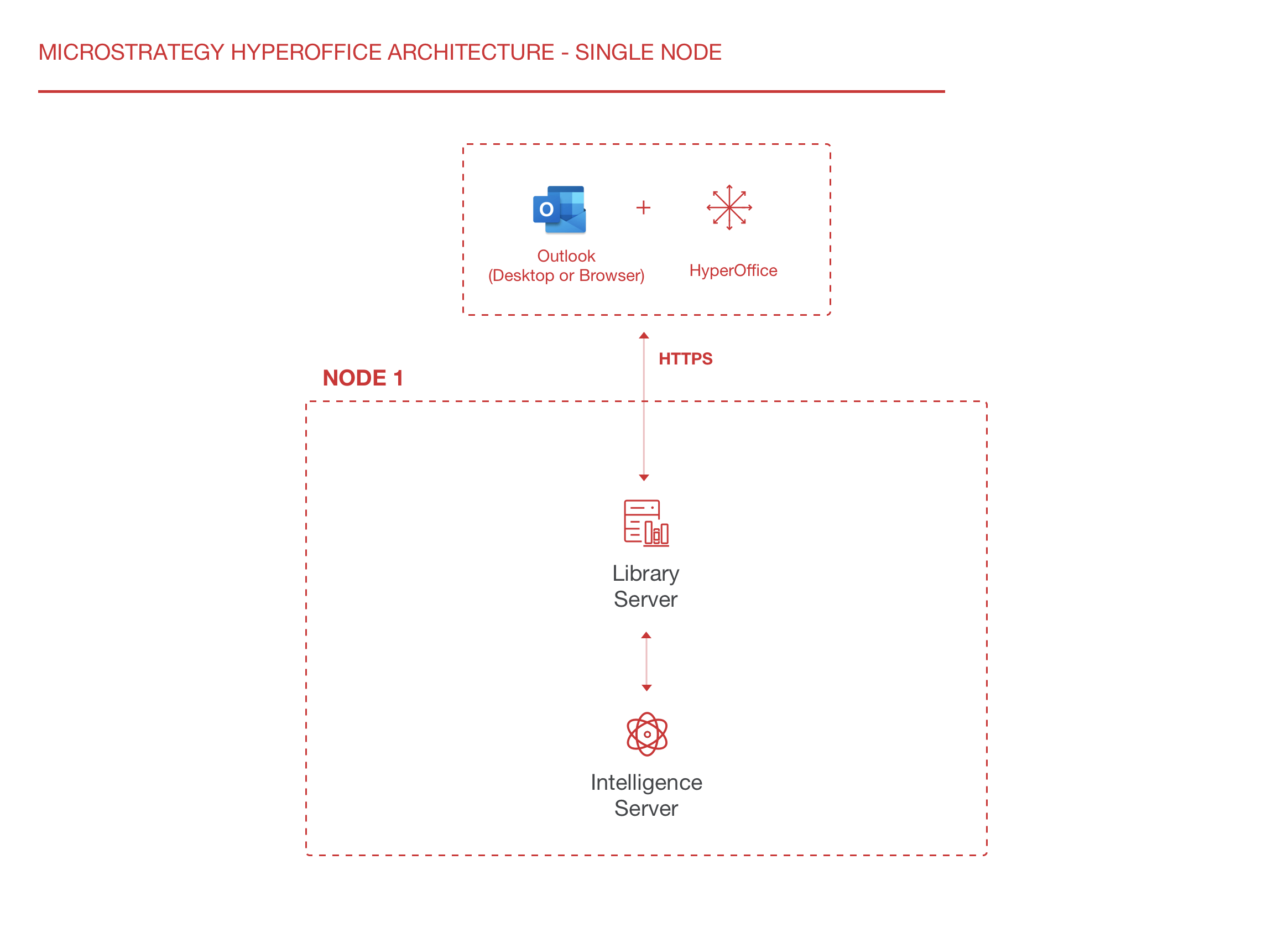
On multiple nodes, this behavior looks like:
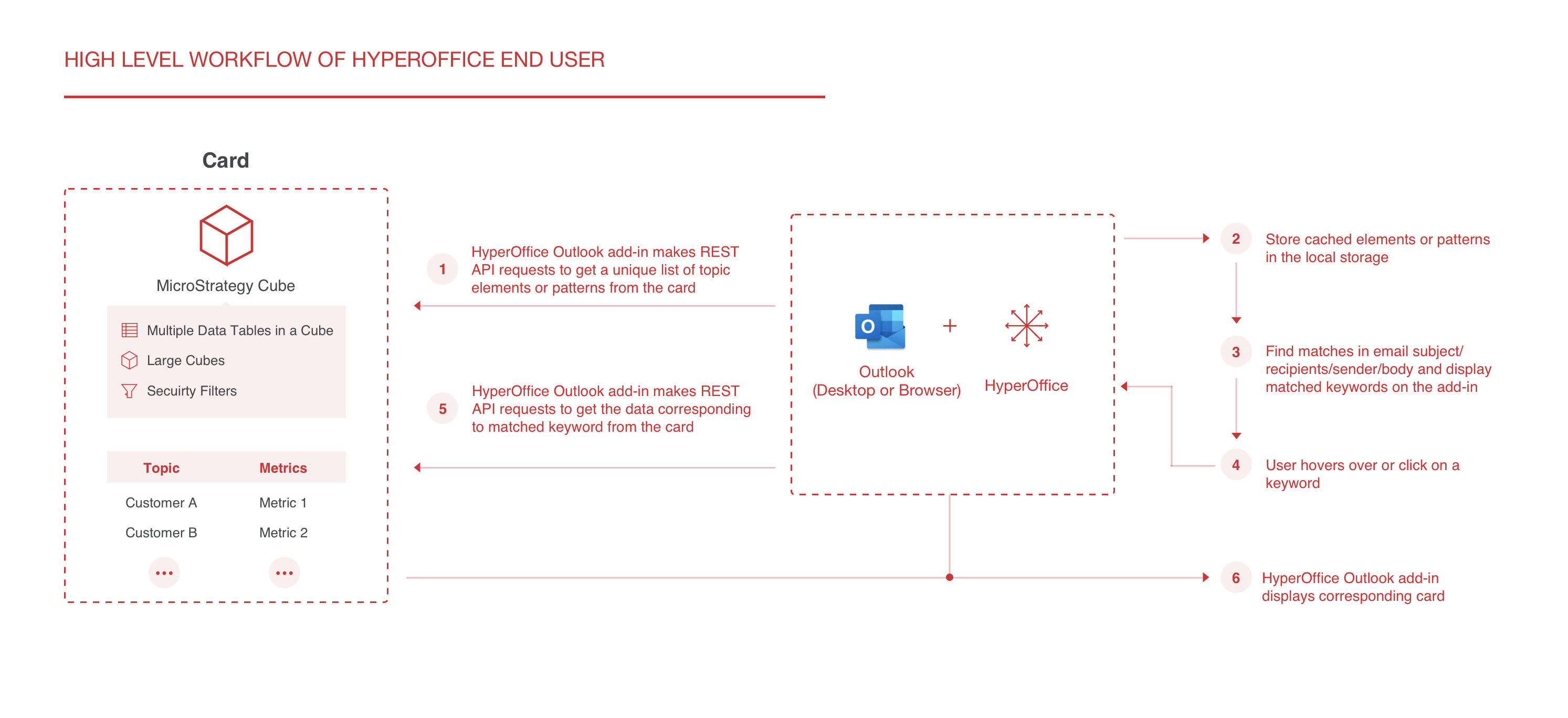
At a high-level, the basic workflow of HyperIntelligence for Office appears as follows:
For a full list of system requirements, see the HyperIntelligence for Office Prerequisites.
