EducationSoftwareStrategy.com
StrategyCommunity

Knowledge Base

Product

Community

Knowledge Base

TopicsBrowse ArticlesDeveloper Zone

Product

Download SoftwareProduct DocumentationSecurity Hub

Education

Tutorial VideosSolution GalleryEducation courses

Community

GuidelinesGrandmastersEvents
x_social-icon_white.svglinkedin_social-icon_white.svg
Strategy logoCommunity

© Strategy Inc. All Rights Reserved.

LegalTerms of UsePrivacy Policy
  1. Home
  2. Topics

In 10.11, the Image Layout visualization does not display certain shape files


Willian Tomazini

Senior Cloud Support Engineer I • MicroStrategy


This article explains how to fix a blank Image Layout visualizations in MicroStrategy Library 10.11. This article assumes the Image Layout plugin is working properly, but certain shape files still cannot be displayed.

Starting with the release of Strategy ONE (March 2024), dossiers are also known as dashboards.

Symptom


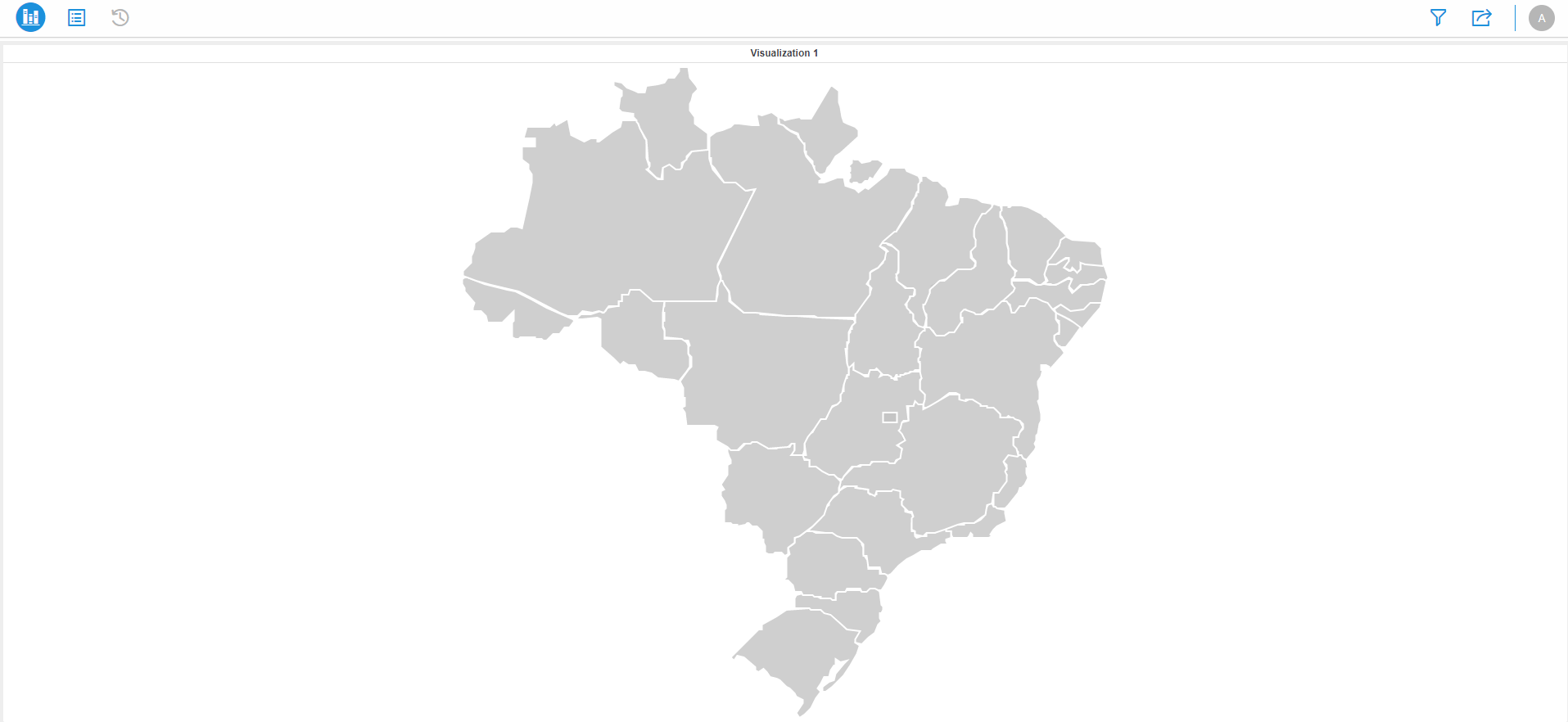
In Library 10.11, the Image Layout visualization does not display certain shape files in a dossier.

ka0PW0000001JXNYA2_0EM2R000000hPmU.jpeg

Cause


It's possible the Image Layout visualization is not appearing because of the way the shape file is configured in the \webapps\MicroStrategyLibrary\VisFramework\map folder. The coordinate string for each shape should not contain any spaces.
 

Solution


To fix the shape file, follow the steps below:

  • Navigate to \webapps\MicroStrategyLibrary\plugins and ensure the Image Layout plugin is in the plugins folder.
  • See if there is at least one dossier with the Image Layout visualization that appears correctly, this ensures the plugin is working properly. 
  • Navigate to \webapps\MicroStrategyLibrary\VisFramework\map. Open the file of the shape that is not displaying in Library.
  • Locate the
    COORDS
    parameter on each row of the file. Delete any spaces between commas or values.

    Your parameter values should appear like the image below:

ka0PW0000001JXNYA2_0EM2R000000hPnh.jpeg
  • Save the file.
  • Restart Tomcat.
  • Open the dossier and ensure all shapes in the Image Layout visualization appears.
ka0PW0000001JXNYA2_0EM2R000000hPnr.jpeg


Comment

0 comments

Details

Knowledge Article

Published:

June 26, 2019

Last Updated:

March 21, 2024