SUMMARY:
This Knowledge Base article describes an issue in which a user enters a string of text in a Transaction Services text box with line breaks, the string does recognize line breaks, however, the line breaks do not appear when exporting the document to PDF.
SYMPTOM:
In Strategy Web 10.4, line breaks appear when viewing a Report Services Document in Strategy Web 10.4, however, the text appears in one line when the Report Services Document is exported to PDF.
Below is an image that shows the text in Presentation Mode with the proper line breaks:
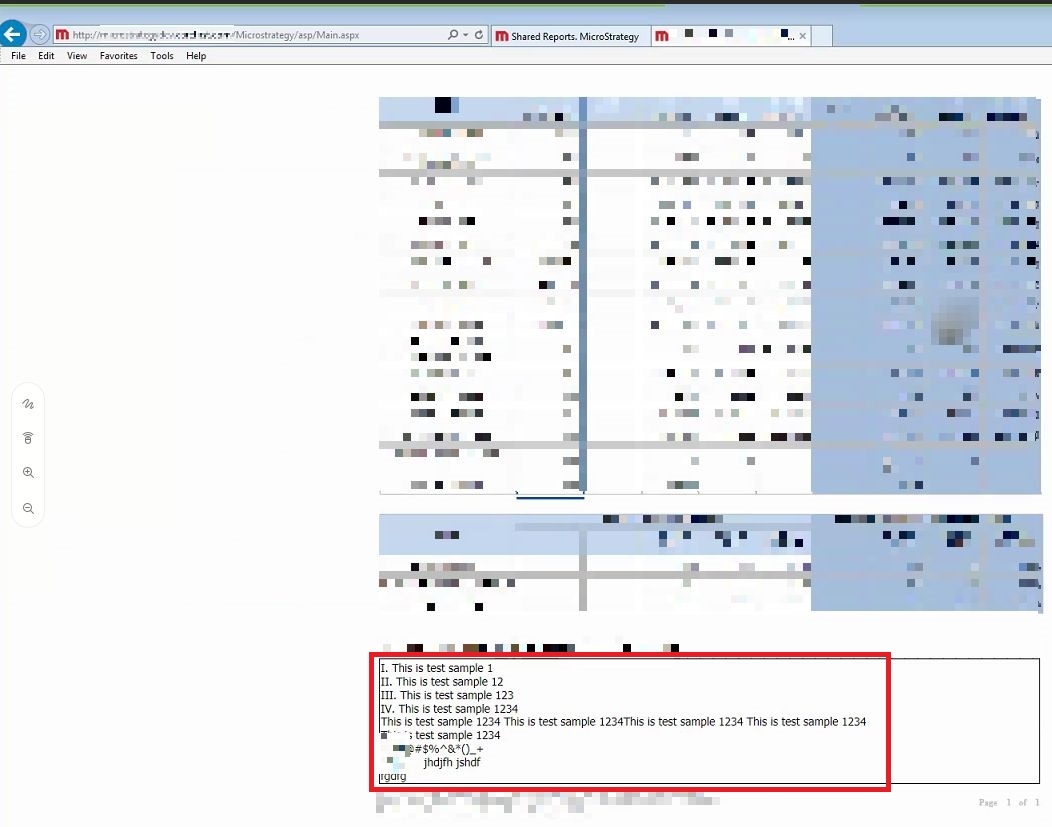
Once this RSD is exported to PDF, it appears as shown below (all text is entered in a single line and now line breaks are recognized).

STEPS TO REPRODUCE:
Follow these steps to reproduce the issue in a Strategy Tutorial Project:
CAUSE:
This is an identified defect in Strategy 10.4 GA.
ACTION:
This issue has been addressed in Strategy Web 10.4 Hotfix 8. Upgrade to this version to take advantage of this fix.
The Strategy Internal Reference Number for this issue is: KB442532
