EducationSoftwareStrategy.com
StrategyCommunity

Knowledge Base

Product

Community

Knowledge Base

TopicsBrowse ArticlesDeveloper Zone

Product

Download SoftwareProduct DocumentationSecurity Hub

Education

Tutorial VideosSolution GalleryEducation courses

Community

GuidelinesGrandmastersEvents
x_social-icon_white.svglinkedin_social-icon_white.svg
Strategy logoCommunity

© Strategy Inc. All Rights Reserved.

LegalTerms of UsePrivacy Policy
  1. Home
  2. Topics

KB484031: In MicroStrategy Library 2019 Mobile, a message appears when a dossier contains more than three links


Community Admin

• Strategy


This article describes the message that appears when there are more than three links (internal or external) in a dossier in MicroStrategy Library 2019 Mobile. This article also addresses the changed behavior of the message.

Starting with the release of Strategy ONE (March 2024), dossiers are also known as dashboards.

Description


In Strategy Library 2019 Mobile, you may receive the unwanted message, "This page contains more than 3 links," when there are more than three links added via the Link Editor in a dossier. The links could be links to other chapters in the same dossier, or to external links. 
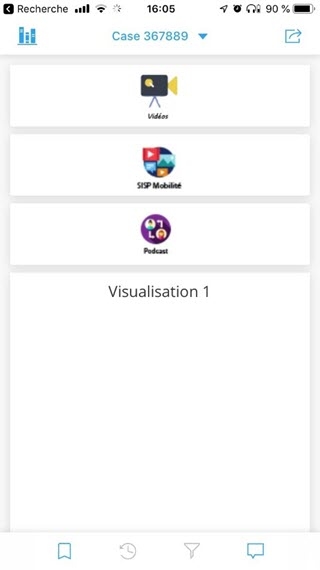
In Library, the following chapter contains links:
ka0PW0000001JbPYAU_0EM2R000000nlue.jpeg

When the dossier updated on Web and run again on Library Mobile, the following message appears: 
This page contains more than 3 links
 

Steps to reproduce 

  • Connect to Strategy Web 2019.
  • Create a dossier with more than three links. 
  • Add it to the Library.
  • Update the design of the dossier in Web and save it. 
  • In the Library app, refresh the Library home by dragging your screen down. You can see the dossier with an updated green indicator. 
  • Run the dossier. You can see the message at the top. 
ka0PW0000001JbPYAU_0EM2R000000nlvS.jpeg

Why is this happening?

This message was implemented by the Technology Team, and therefore, expected. 
 

Solution


Starting in Strategy 2020, the message has been removed by default. To benefit from this changed behavior, please upgrade to Strategy 2020. 


Comment

0 comments

Details

Knowledge Article

Published:

February 7, 2020

Last Updated:

March 21, 2024