EducationSoftwareStrategy.com
StrategyCommunity

Knowledge Base

Product

Community

Knowledge Base

TopicsBrowse ArticlesDeveloper Zone

Product

Download SoftwareProduct DocumentationSecurity Hub

Education

Tutorial VideosSolution GalleryEducation courses

Community

GuidelinesGrandmastersEvents
x_social-icon_white.svglinkedin_social-icon_white.svg
Strategy logoCommunity

© Strategy Inc. All Rights Reserved.

LegalTerms of UsePrivacy Policy
  1. Home
  2. Topics

KB439258: In MicroStrategy Web 2021, exporting a report services document to Excel crashes with .NET error if the report services document name contains special character(s), such as ‘&’.


Yanqing Liu

Cloud Support Expert I • MicroStrategy


Document export to Excel crashes with .NET error if the report services document name contains special character(s), such as ‘&’.

SYMPTOM:

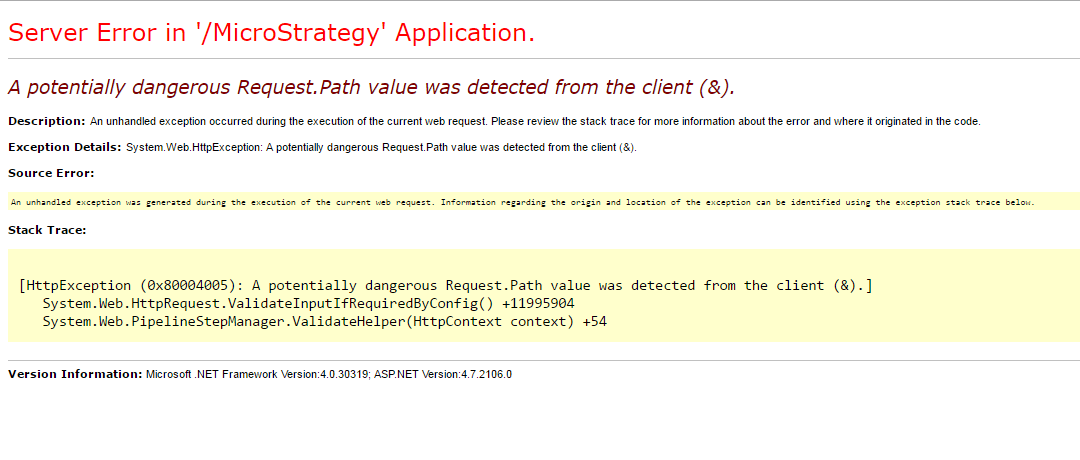
In Strategy Web 2021, exporting a document to Excel crashes with .NET error if the report services document name contains special character(s), such as ‘&’.


A potentially dangerous Request. Path value was detected from the client (&).
ka0PW0000000rNhYAI_0EM44000000QCD1.png

STEPS TO RERPODUCE:

  1. Create a report services document in Strategy Web 2021 deployed on IIS.
  2. Set “Open in Excel” as the default execution and save it with an ‘&’ character in the document name, for example: Profit & Loss.
  3. Run the report services document and the page returns the error: 


A potentially dangerous Request. Path value was detected from the client (&).

CAUSE:

ASP.NET 4.0+ comes with a strict built-in request validation. Part of it is the potential dangerous characters in the URL which may be used in XSS attacks. When ASP.NET finds an invalid character, such as ‘&’, in the path portion of a URL, it rejects the request and returns the error.
 
Here are the default invalid characters in the URL: < > * % & : \ ?
 
Refer to the following documentation provided by Microsoft for details:
https://docs.microsoft.com/en-us/aspnet/whitepapers/aspnet4/overview#0.2__Toc253429244

ACTION:

It’s recommended to avoid using these special characters in document names. If these characters need to be used for some reason, here is a workaround:

  • Go to the Strategy Web application folder.
  • Back up “web.config”.
  • Modify “web.config” and add requestPathInvalidCharacters="" to the httpRuntime node:


<httpRuntime requestPathInvalidCharacters="" requestValidationMode="2.0" maxRequestLength="1048576" />

  • Restart IIS.

Comment

0 comments

Details

Knowledge Article

Published:

December 20, 2017

Last Updated:

February 26, 2024