EducationSoftwareStrategy.com
StrategyCommunity

Knowledge Base

Product

Community

Knowledge Base

TopicsBrowse ArticlesDeveloper Zone

Product

Download SoftwareProduct DocumentationSecurity Hub

Education

Tutorial VideosSolution GalleryEducation courses

Community

GuidelinesGrandmastersEvents
x_social-icon_white.svglinkedin_social-icon_white.svg
Strategy logoCommunity

© Strategy Inc. All Rights Reserved.

LegalTerms of UsePrivacy Policy
  1. Home
  2. Topics

KB485230: In MicroStrategy Web 2021 Update 1 users are getting a "Type Error. Cannot read property of undefined" error when navigating to pages in a Dossier containing a grid in Outline Mode.


Katarzyna Olszewska

Senior Cloud Support Engineer III • MicroStrategy


This Knowledge Base article describes a defect related to Outline Mode in Dossier.

Starting with the release of Strategy ONE (March 2024), dossiers are also known as dashboards.

SYMPTOMS

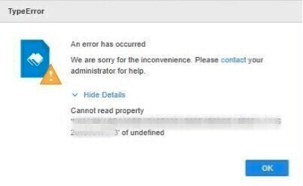
When a Dossier is opened, and user navigates to the page that has a grid visualization with Outline Mode enabled, they receive a following error message:
"Type Error. Cannot read property ‘xxxx’ of undefined".
ka0PW0000001JgeYAE_0EM4W0000039ELt.jpeg

ACTION

This issue is a known defect in Strategy Web 2021 U1 and has been fixed in version 2021 U2 – please upgrade your environment to take advantage of the fix. 
Existing ways to alleviate the issue:
- the issue only affects pages that contain grid with Outline Mode enabled- if disabled, it will work correctly.
- the issue does not occur in Strategy Library.
- issue does not occur if the page with grid with Outline Mode enabled is the one that is opened as 1st (if we save on a page with grid).
- the issue would only happen if grid is in the same chapter as the page opened just before it (so if we put the page with grid in Outline Mode in separate chapter it would work).


Comment

0 comments

Details

Knowledge Article

Published:

October 18, 2021

Last Updated:

March 21, 2024