There are two ways to insert an image through Strategy Web interface directly:

Firstly, let's discuss the source field. When an image is specified by providing the full path to the file in the source field, the referenced file is linked and the image will be sourced from the specified location. However, this method will not work when using Chrome and choosing the file as the protocol type. Google, as per their security model, blocks file protocols like this by default. As a result, there will be no bad HTTP response since the request is not fulfilled in the browser before reaching the web server:
Not allowed to load local resource: file://....
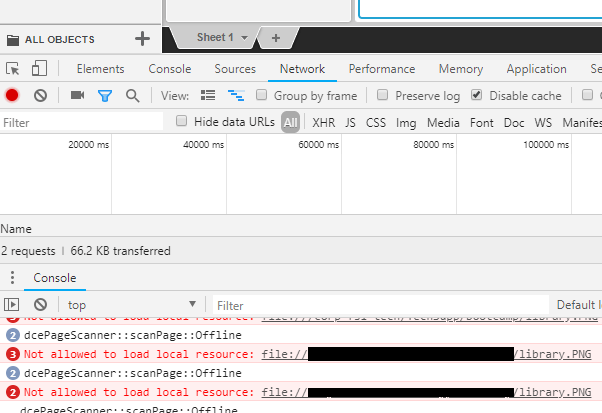
Basically using source as an image file is creating a link to the object that would be stored somewhere remote.
On the other hand, browse button lets you browse local hard drive and network locations that are mapped, to select the image file.
Saving the report services document, will save the image as a binary along with the document (in the metadata / mstr file): max 3MB per image.
If the file has less or equal to 3MB, then the file will not be compressed and embedded as is.
If the file has over 3MB, then compression will be attempted, if still over 3MB afterwards then an information window will pop up to inform that such file should be referenced using an URL rather than embedding via browse.
Additionally, very high resolution images will be compressed (if over FHD resolution).
Generally the best approach is to store the files on the web server since the files should be referenced using HTTP protocol. This way it is possible to serve the files also to Chrome users.
