SYMPTOM:
By default, when a new user is created the following permissions are granted:
Default permissions: Browse, Read. The rest are set to default.

If we want to change how these permissions are granted for a brand new user we have to proceed changing the “User Manager” ACL, which is the actual parent of every user, not the ACL from the group the user pertains to:

So, changing the “User Manager” ACL from Browse, Read, GRANT
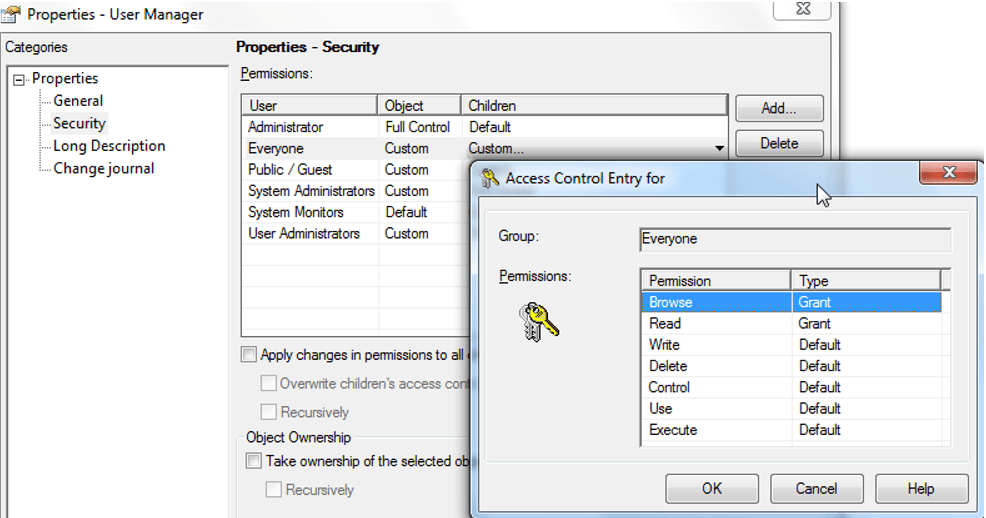
To Browse, Read, Write, GRANT, a brand new user inherits this new ACL:

Existing users would keep their ACL.
In order to apply the same ACL for users that were created previous to the “User Manager” ACL change, we need to check the “Apply changes in permissions to all children objects”:

KB439406
