EducationSoftwareStrategy.com
StrategyCommunity

Knowledge Base

Product

Community

Knowledge Base

TopicsBrowse ArticlesDeveloper Zone

Product

Download SoftwareProduct DocumentationSecurity Hub

Education

Tutorial VideosSolution GalleryEducation courses

Community

GuidelinesGrandmastersEvents
x_social-icon_white.svglinkedin_social-icon_white.svg
Strategy logoCommunity

© Strategy Inc. All Rights Reserved.

LegalTerms of UsePrivacy Policy
  1. Home
  2. Topics

KB484991: Issues specific to macOS Big Sur in MicroStrategy Workstation 2021 on Mac


Datvuong Lee

Quality Engineer, Senior • MicroStrategy


This article covers the issues discovered in the MicroStrategy 2021 release of Workstation Mac specific to macOS Big Sur.

Starting with the release of Strategy ONE (March 2024), dossiers are also known as dashboards.

Description 


Big Sur is officially certified for the Strategy 2021 release of Workstation Mac. However, due to some existing problems with Apple & Big Sur, we are aware of the following issues on Workstation:

  • Dossier font drop-down list sometimes does not load in the Dossier editor
  • Top right search box in the main Workstation window has dark text and cannot be clearly seen in dark mode
  • Document template selection page is not centered correctly in full screen mode
  • Strategy Workstation Helper crashes upon opening Workstation
  • View Selected text & checkbox are not aligned properly for security roles
  • Project selection dialog checkboxes are misaligned
  • Misaligned text in error message dialogs
  • The card editor can have a variety of cosmetic issues
  • Certain Data Source tables may display a box in the top left corner

Why is this happening? 


Currently, with the release of Big Sur, there is an issue with the rendering of specific fonts. This may cause certain fonts to be colored incorrectly, become blurry, go off-center, or even outright disappear. Additionally, there are a few problems related to discrete graphics cards (like AMD, etc.) that can cause a variety of visual issues with the user interface.
Apple is already taking action on the root cause for these issues and will be providing a fix in the upcoming OS patches. We will work with Apple and provide fixes from our side as well in the upcoming releases.

Issue 1: Dossier font drop-down list sometimes does not load in the Dossier editor 


In the Dossier editor,if you navigate to the Format panel to the left of the visualization display, the drop-down list under “All Grid Fonts” will sometimes not load correctly when expanded.

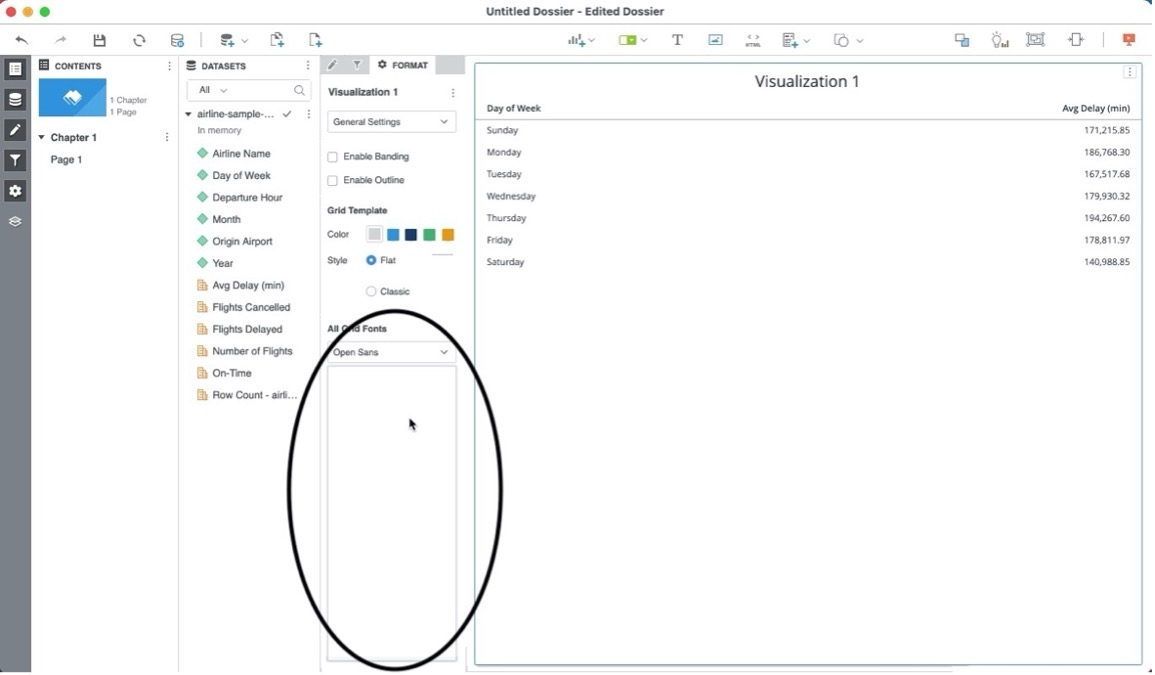
Steps to reproduce

  • Click the + icon next to Dossiers on the left menu to create a dossier.
  • In the Dossier editor, import data and create a grid by dragging some attributes and metrics to the visualization.
  • Go to the Format panel to the left of the visualization.
ka0PW0000001JfnYAE_0EM4W0000027Vem.jpeg
  • Navigate to All Grid Fonts and click the drop-down menu to expand.
    See that the fonts in the drop-down menu sometimes do not correctly load.
ka0PW0000001JfnYAE_0EM4W0000027Vew.jpeg

Issue 2: Top right search box has dark text and cannot be clearly seen in Dark mode


In the main Workstation window, when you are in Dark mode, sometimes the text in the top right search box is dark and hard to read.
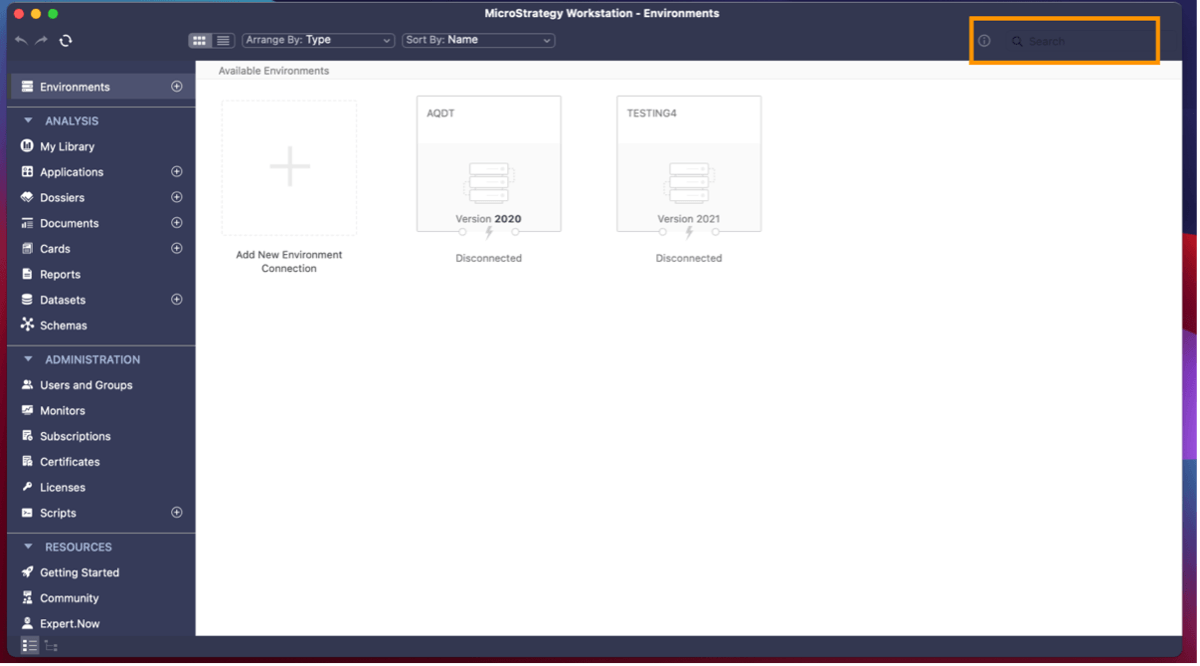
Steps to reproduce

  • Open Workstation in Dark mode.
  • Look at the search box in the top right corner.
ka0PW0000001JfnYAE_0EM4W0000027Vf6.jpeg

Issue 3: Document template section page is not centered correctly in full screen mode


When attempting to create a new document in full screen mode, sometimes the document template selection screen loads incorrectly and is not centered. This causes some items to get cut off.
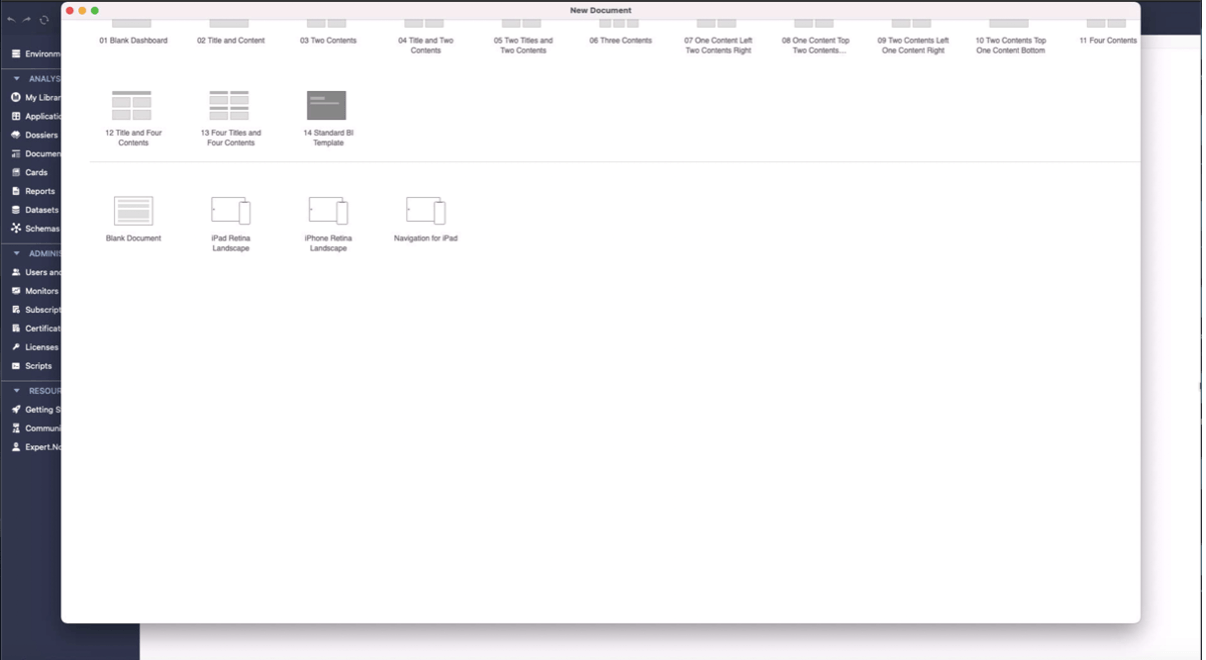
Steps to reproduce

  • Click the + icon next to Documents on the left menu to create a document.
  • The document template section page is sometimes not centered correctly.
ka0PW0000001JfnYAE_0EM4W0000027Vfk.jpeg

Issue 4: Strategy Workstation Helper crashers upon opening Workstation


Sometimes when booting up Workstation, Workstation Helper will crash and display an error report.

Steps to reproduce

  1. Have R installed.
  2. Open Workstation.
    Strategy Helper may crash and an error report appears.

Workaround


The problem is with a R framework file in the path

/Library/Frameworks/R.framework/Libraries/libc++.1.dylib
.
To fix the issue, uninstall R and delete the files in
/Library/Frameworks/R.framework/
, then reinstall R.

Issue 5: View Selected text and checkbox are not aligned properly for security roles


The View Selected text and checkbox sometimes appear misaligned in the Security Roles Privileges table.
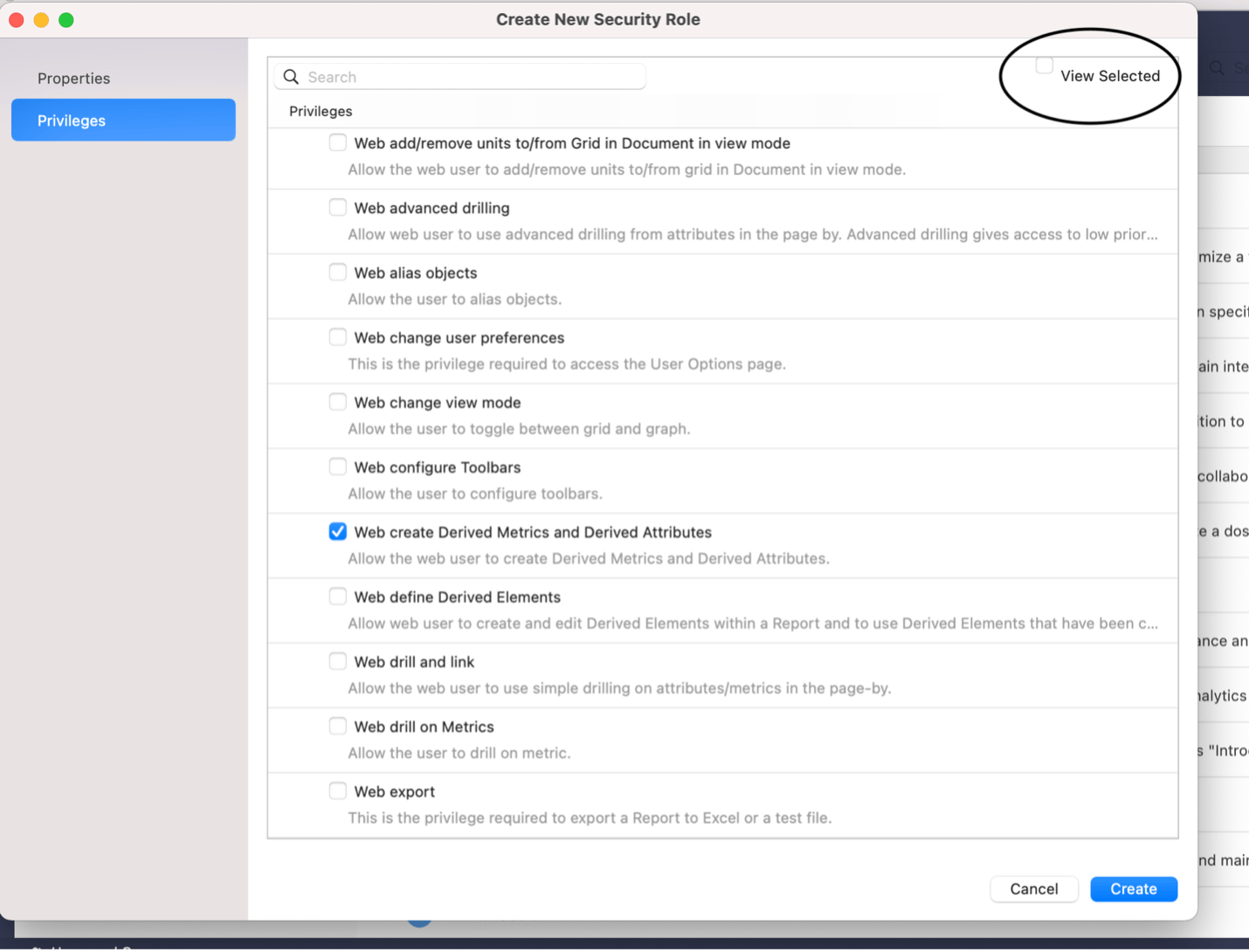
Steps to reproduce

  • Navigate to the User and Groups smart tab > Security Roles tab.
  • Either create a new security role or edit an existing one.
  • Navigate to Privileges. See the View Selected checkbox in the top right corner.
ka0PW0000001JfnYAE_0EM4W0000027Vgd.jpeg

Issue 6: Project Selection dialog checkboxes are misaligned


In the Project Selection dialog, the checkboxes next to each project may appear misaligned.

Steps to reproduce


Connect to an environment. When selecting projects, the checkboxes are slightly misaligned and appear too far on the right.
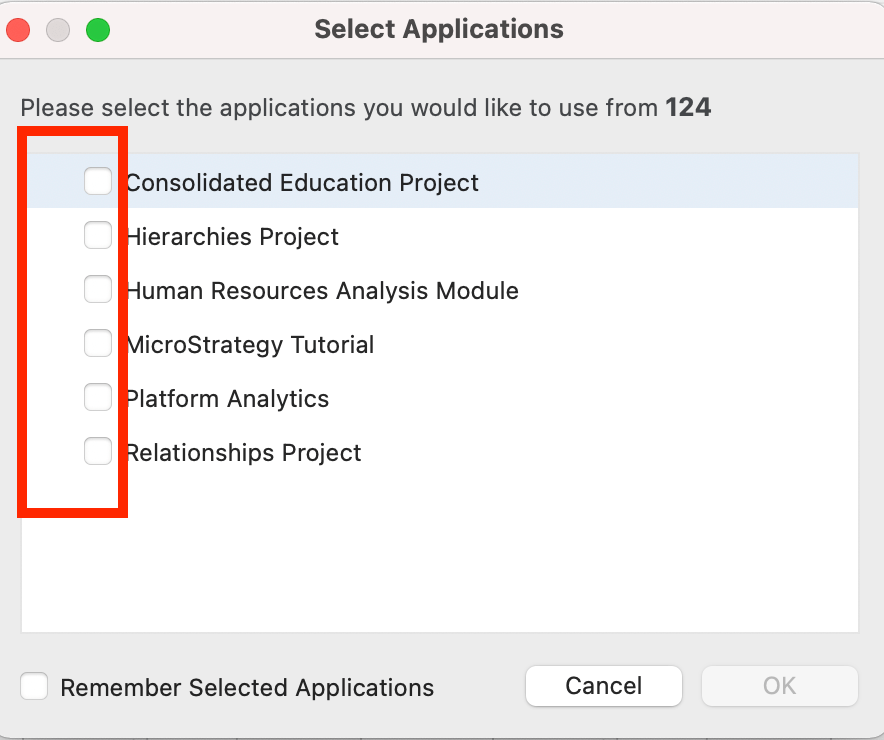
ka0PW0000001JfnYAE_0EM4W0000027Vij.jpeg

Issue 7: Misaligned text in error message dialogs


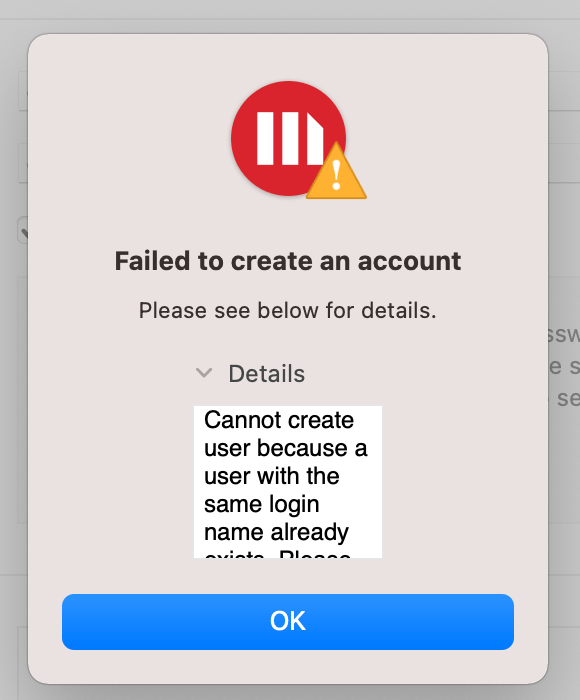
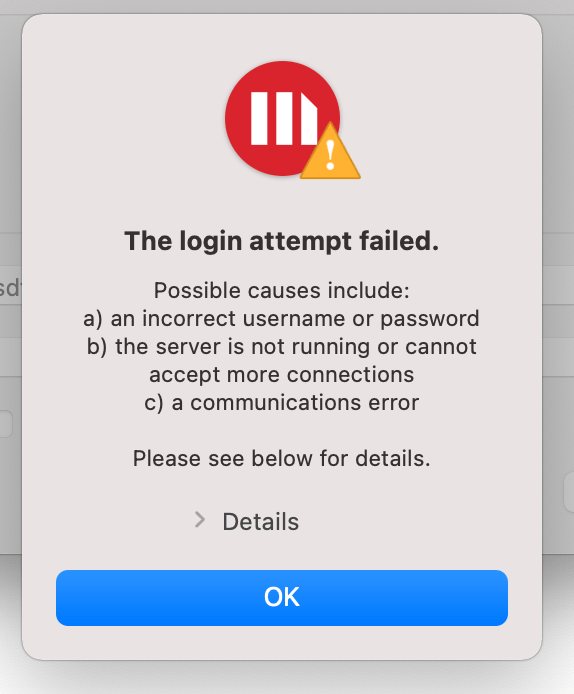
Many error message dialogs may have text that appear misaligned (they become centered). The following are multiple examples on how to reproduce this issue.
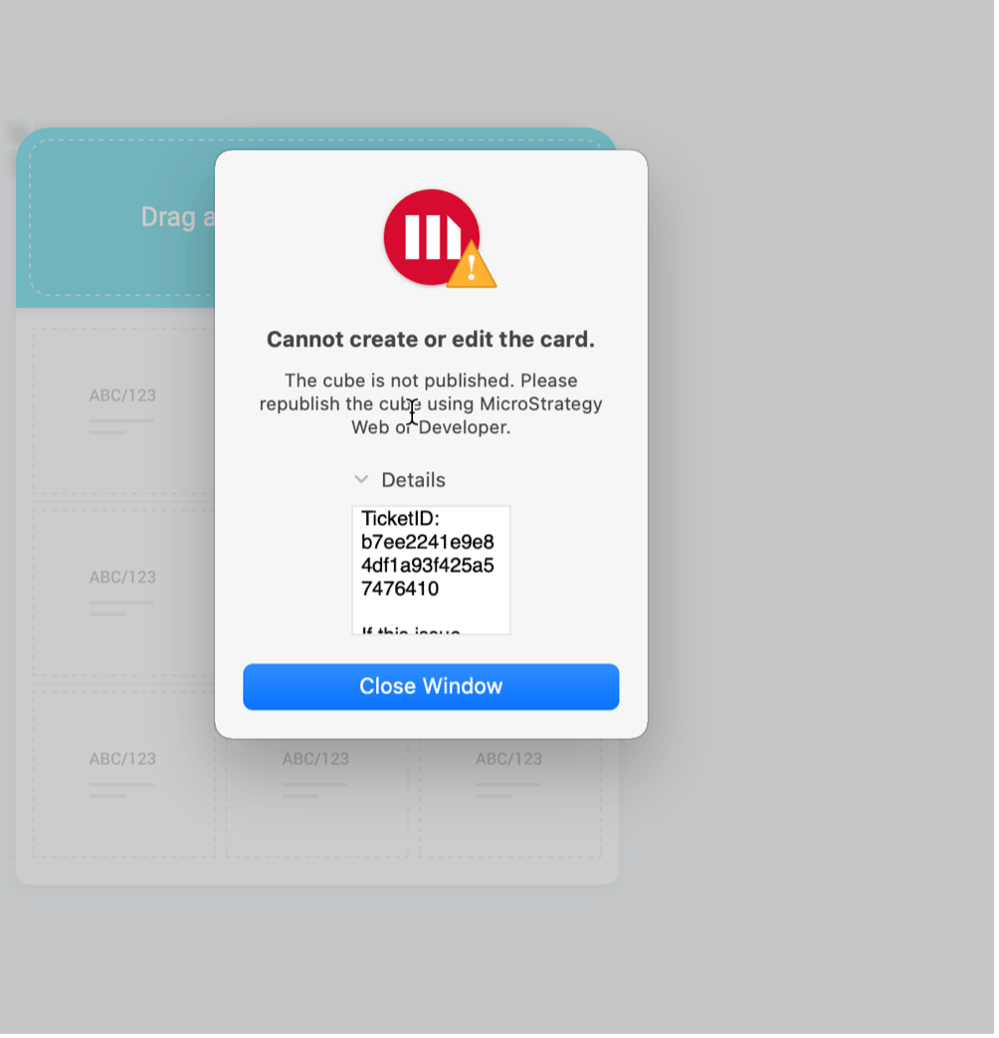
Steps to reproduce #1

  • Navigate to the Cards tab. 
  • Click the + icon to create a new card. 
  • Select a dataset that is not published.
    See the error with misaligned text.
ka0PW0000001JfnYAE_0EM4W0000027Vjw.jpeg

Steps to reproduce #2

  • Connect to an environment.
  • Log in with an incorrect username and password.
    See the error with misaligned text.
ka0PW0000001JfnYAE_0EM4W0000027Vk6.jpeg

Steps to reproduce #3

  • Navigate to the Users and Groups tab.
  • Navigate to the All Users tab within the User Management section.
  • Click the + icon to create a new user.
  • Create a new user with a username that is exactly the same as an already existing user. See the error with misaligned text.
ka0PW0000001JfnYAE_0EM4W0000027VkG.jpeg


Issue 8: Various card editor cosmetic issues


The card editor has a variety of cosmetic issues, mostly involving shadows.

Steps to reproduce 

  • Navigate to the Cards tab. 
  • Click the + icon to create a new card. 
ka0PW0000001JfnYAE_0EM4W0000027Vkf.jpeg
ka0PW0000001JfnYAE_0EM4W0000027Vkp.jpeg

Issue 9: Box is displayed in the top left corner of various data source tables


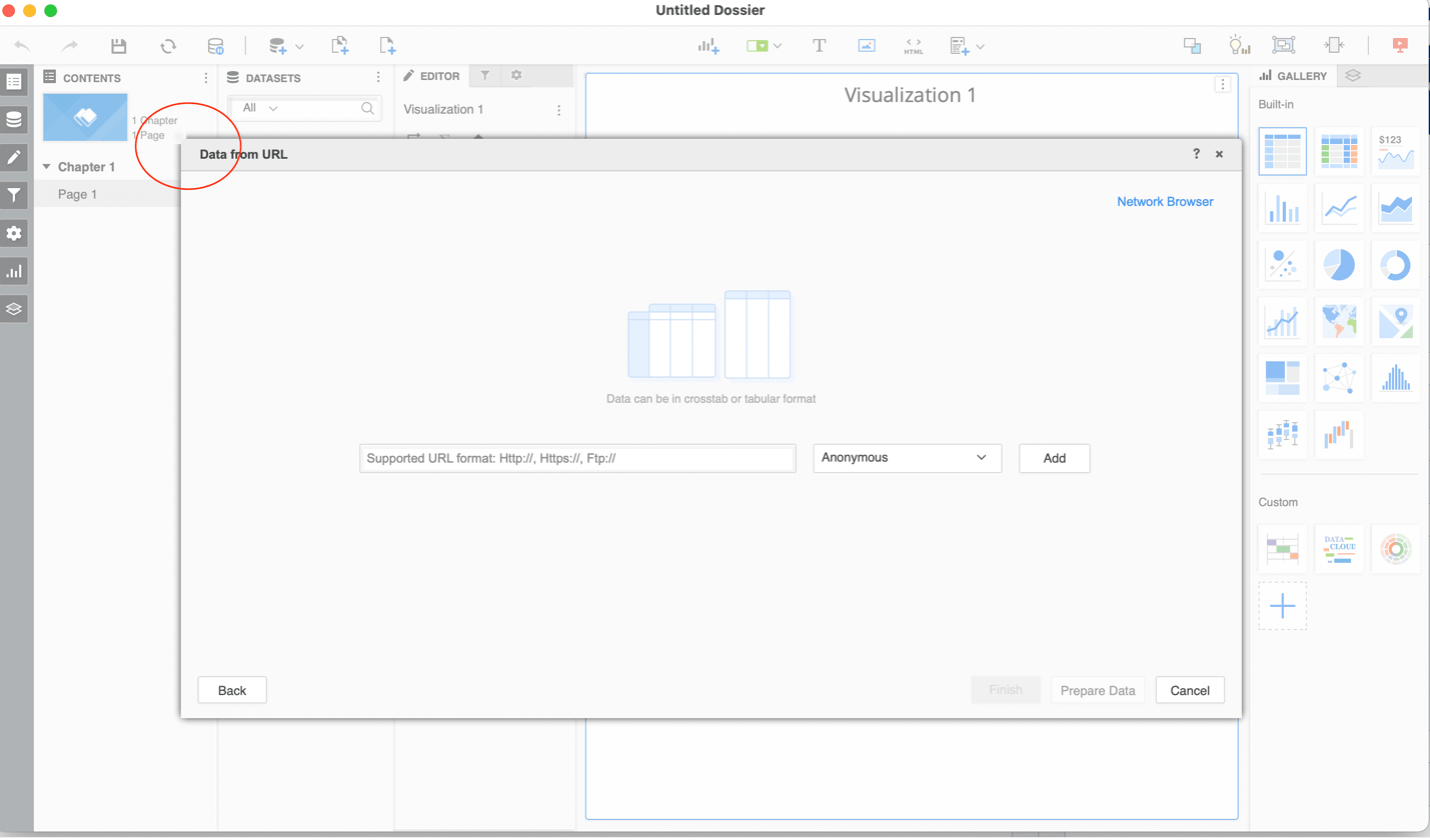
A gray box displays in the top left corner of various data source tables in the data import workflow. The gray box looks out of place and is not expected to be there.
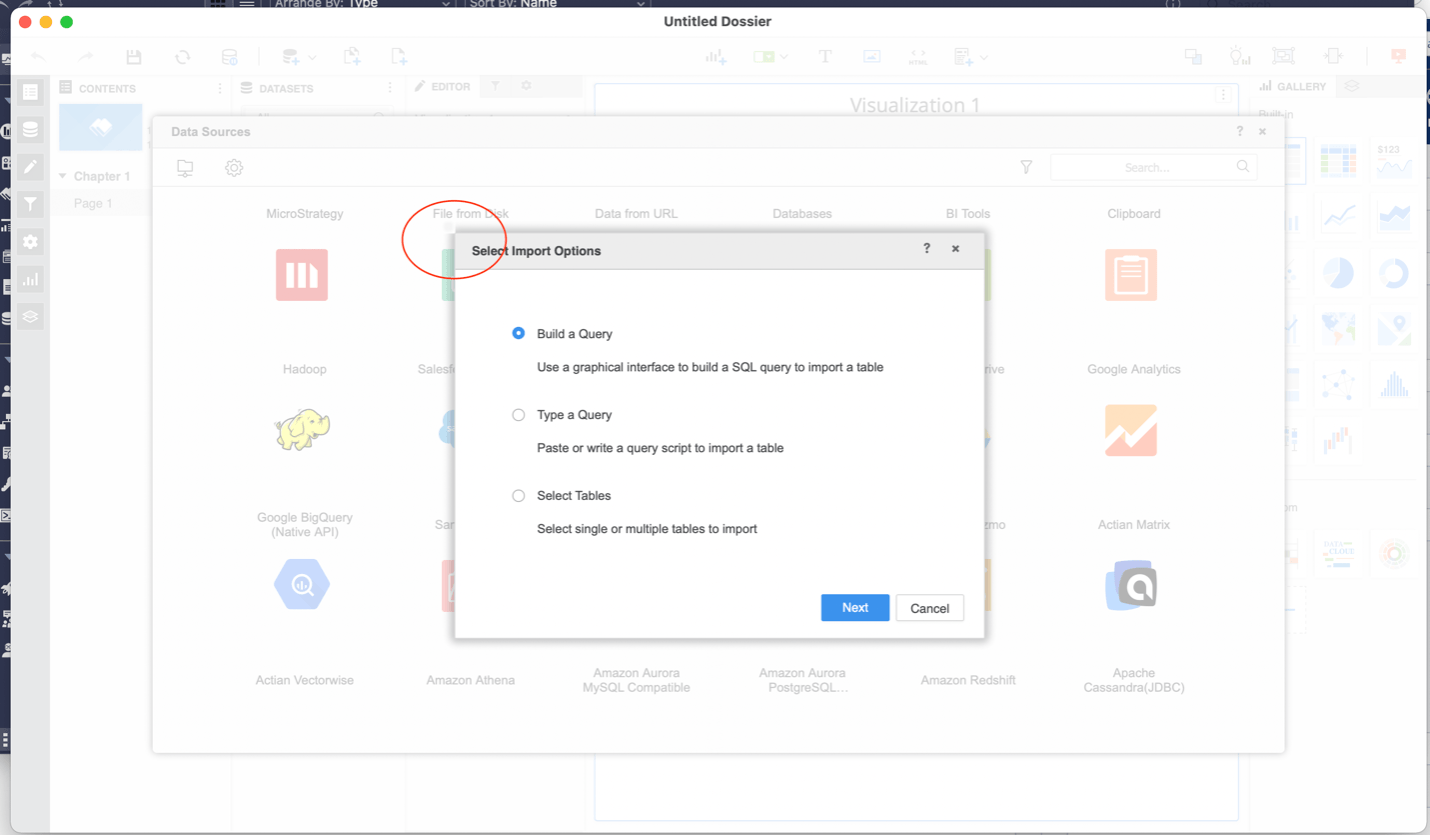
Steps to reproduce #1

  • Navigate to the Dossiers tab.
  • Click the + icon on the Dossiers tab to create a new dossier.
  • On the Datasets pane, click New Data to add data.
  • From the list of available options, click Database.
    The dialog appears in the top left corner.
ka0PW0000001JfnYAE_0EM4W0000027VmR.jpeg

Steps to reproduce #2

  • Navigate to the Dossiers tab.
  • Click the + icon on the Dossiers tab to create a new dossier.
  • On the Datasets pane, click New Data to add data.
  • From the list of available options, click Data from URL.
    The dialog appears in the top left corner.
ka0PW0000001JfnYAE_0EM4W0000027VmW.jpeg

Comment

0 comments

Details

Knowledge Article

Published:

April 16, 2021

Last Updated:

March 21, 2024