SYMPTOM:
In a Report Services Document, a user configures a selector to target a panel stack with multiple panels and in each panel, a grid and a textbox. If the selector is of type slicer and is configured to 'Automatically update when there is no data for the current selection', the user would expect that as they switch panels in the panel stack, the selector should automatically update to select the first element that the grid displayed in the panel stack has data for, to prevent situations where no data is displayed. This works correctly in Strategy Web 9.3.1 and earlier; However, in Strategy Web 9.4.1, the 'Automatically update when there is no data for the current selection' property of the selector does not to function as expected, causing the grid to sometimes display no data and the selector to show elements that should not appear as options.
In the image below, there is a selector on Category that targets a panel stack with a grid and a textbox:
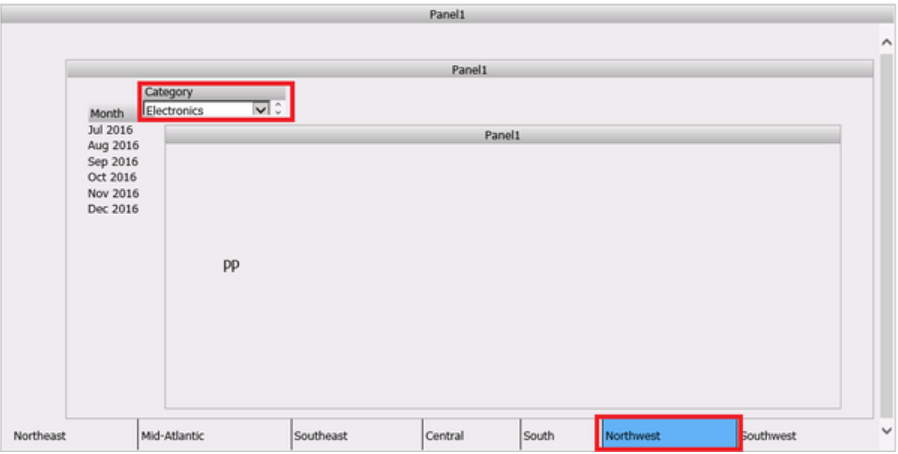
The grid does not have data for Electronics and Northwest. The Category selector should have updated to an element with data, however it fails to do so and the grid disappears, or it can show the message below:
No data returned for this view, this might be because the applied filter excludes all data
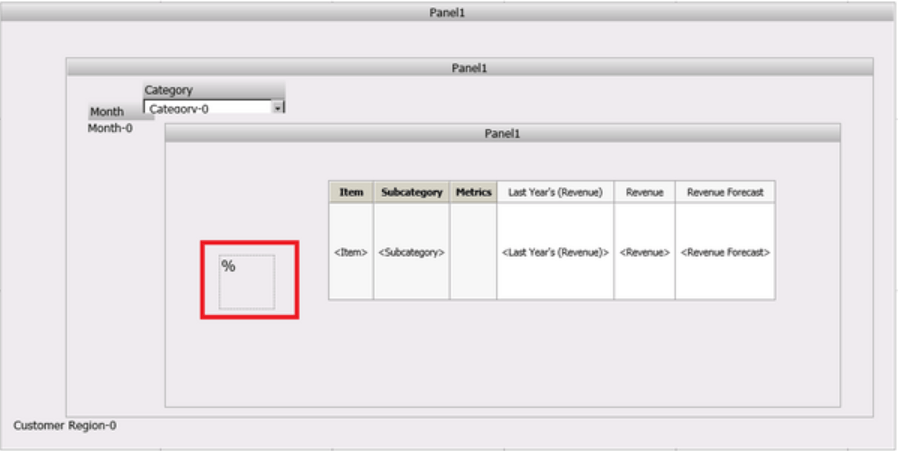
Notice the Category selector, the Month Selector, the Region selector at the bottom, the grid, and the text box.
2) Configure the selector properties as shown below:
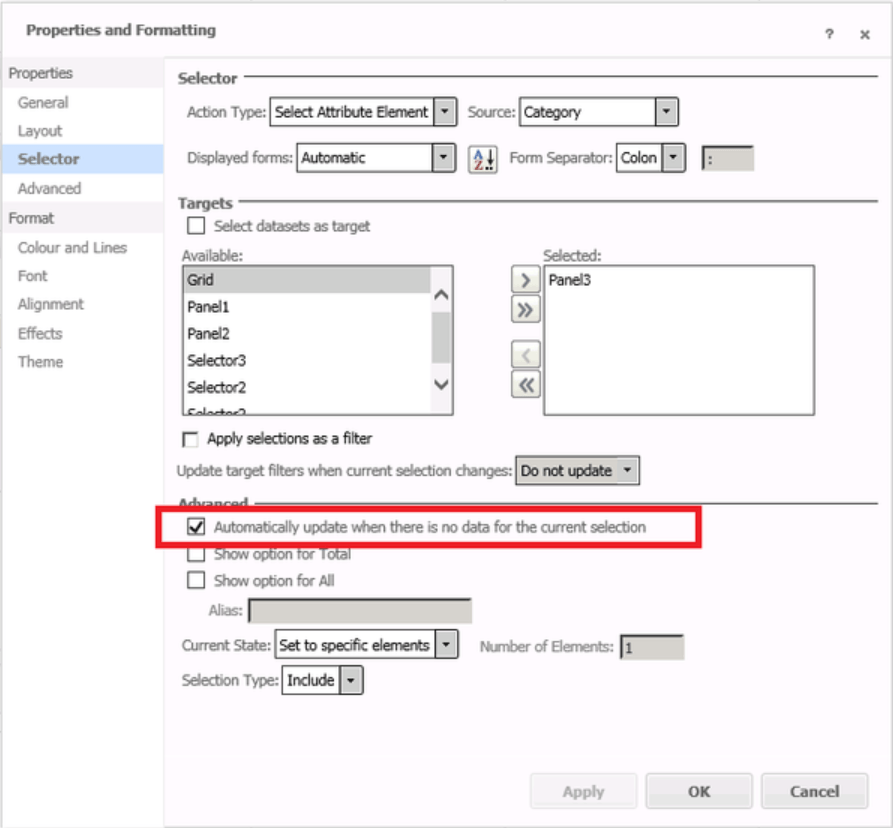
Notice "Apply selections as a filter" is unchecked and 'Automatically update when there is no data for the current selection' is checked.
3) Modify the Strategy warehouse tables to ensure that this configuration contains data, as shown below:
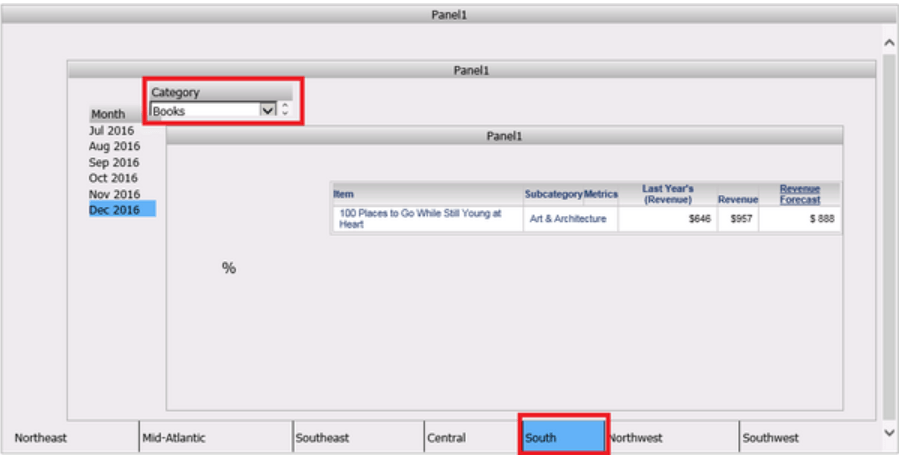
Note: Books, Dec 2016, and South, has data for Items and Subcategory. But not for Electronics and Northwest.
4) Select Electronics and flip through the different Regions; it should work to update the selector without issues.
5) Now, configure the threshold on the textbox as shown below:
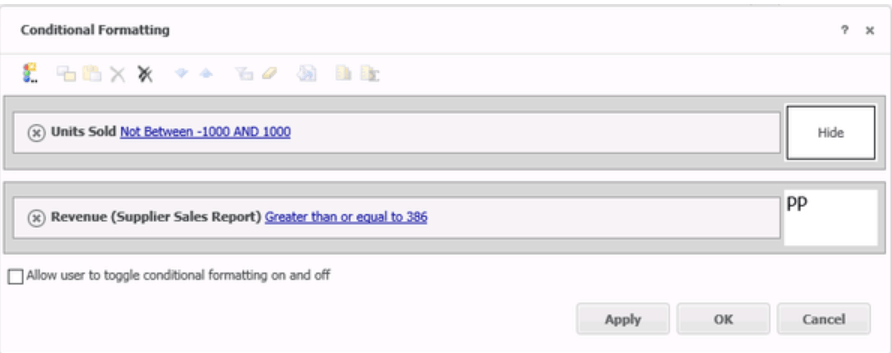
6) Test the selector again, with Electronics. It will fail to update automatically when choosing Northwest.
CAUSE:
With the release of Strategy Analytics Enterprise 9.4.1 and newer, a new feature was introduced to give the ability to add attributes and metrics from any dataset into one grid or graph. This setting is called Join Behavior. Refer to knowledge base article KB45462 for more information on this setting.
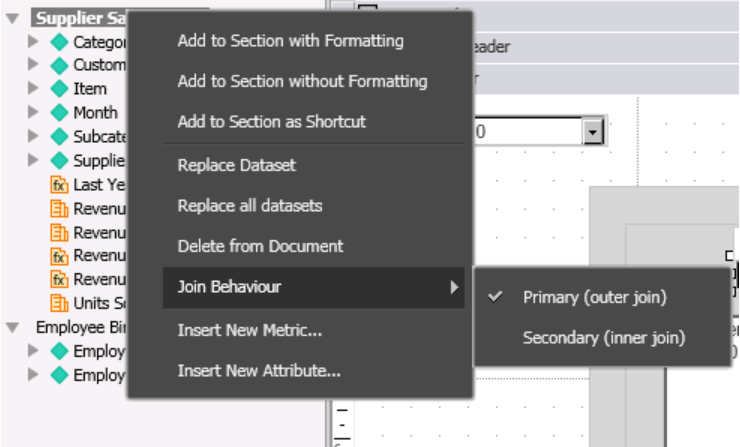
When all of the datasets in the document are configured as "Primary" the application of the threshold on the textbox causes this behavior. However, this behavior is not specific to the grid returning no data, as when the grid returns data, it may also be showing conflicting information with respects to the join behavior expected, in the form of seeing elements that are not expected. This will occur even without the the threshold applied to the textbox leaving the 'Join Behavior set to Primary (Outer Join)' setting to be the only setting at fault.
WORKAROUND:
Set the "Join Behavior" to 'Secondary (Inner Join)' for all the datasets other than the primary dataset, as shown below:
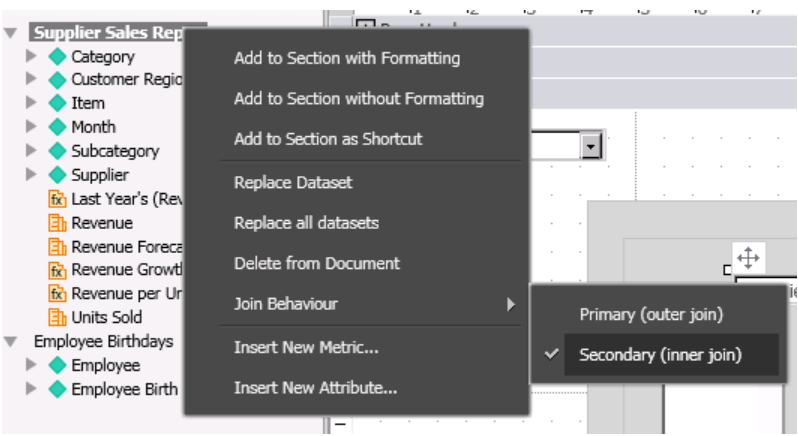
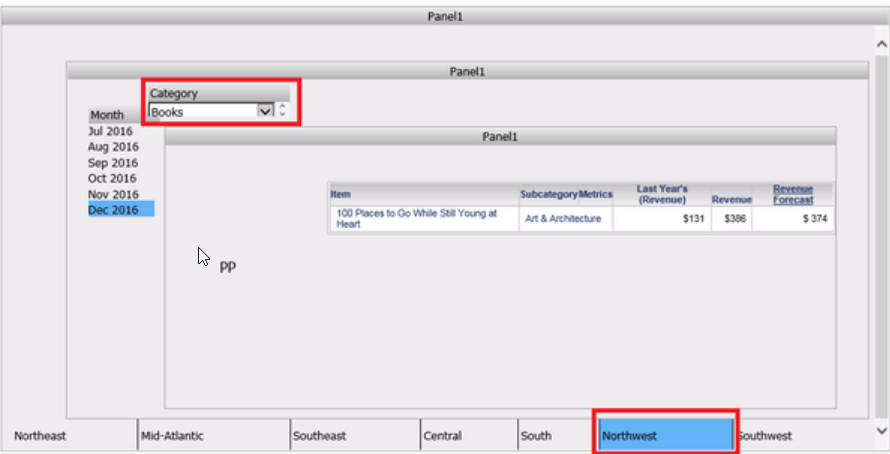
After this change the problem will be resolved and the selector will be updated automatically as expected. As shown below, switching to Northeast, automatically selects Books, because that is the element that contains the data:
ACTION
This issue has been fixed in Strategy Web 10.7. Upgrade to Strategy 10.7 or above to take advantage of the fix
The internal reference numbers for this article are KB040517 and DE48719.
