SUMMARY:
PDF files generated during export in a Strategy 2021 GA or later environment display the incorrect fonts despite uploading fonts to the proper folders and having the fonts in the file system of the machines being used.
CAUSE:
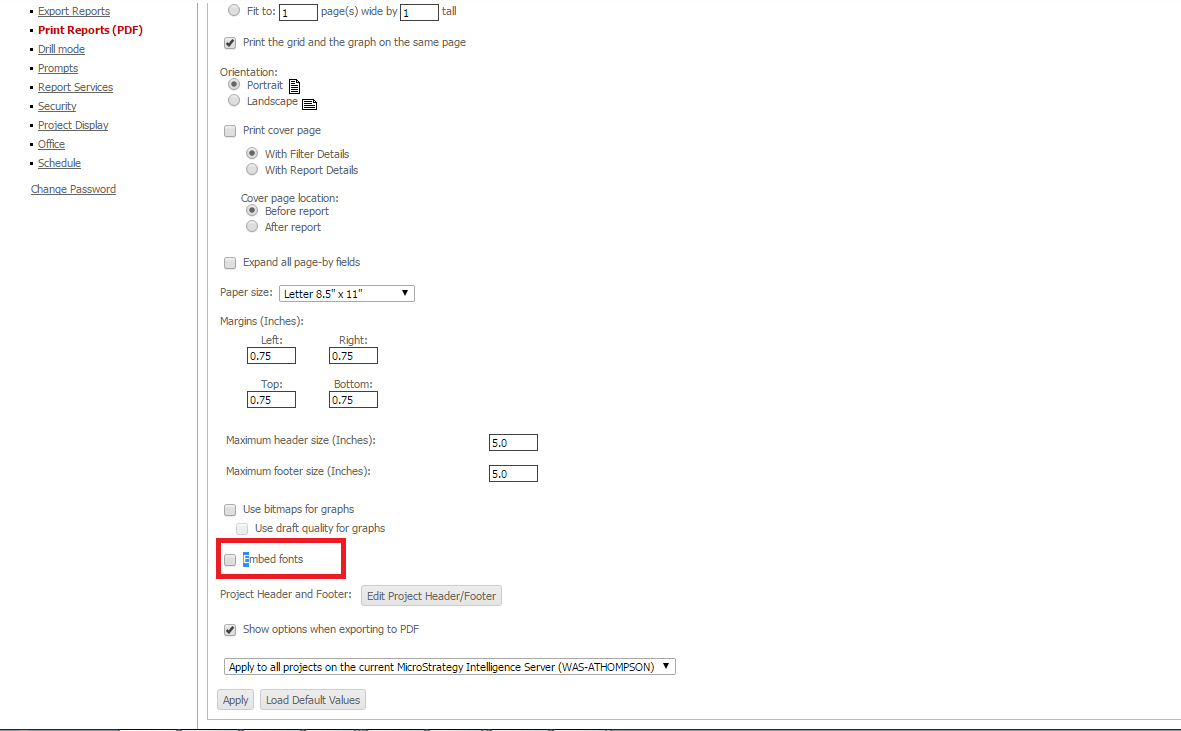
Ensure the setting for "Embed Fonts" is enabled through Strategy Developer, Report Services, and Strategy Web.
ACTION:
The following options must be enabled to ensure that Embed Fonts is properly enabled throughout the Strategy Environment:
1. Edit a Report, in Developer, and select 'Embed Fonts' under Data menu > Export options > PDF file > Advanced options for Exporting to a PDF file > General tab,

2. Edit a Report Services Document and select 'Embed fonts in PDF' under Format menu > Document Properties... > Export tab,
3. Login as Administrator, in Strategy Web, and select 'Embed fonts' under Preferences > Project Defaults > Print (PDF) (this can also be done at the User Preferences level)
KB07807
