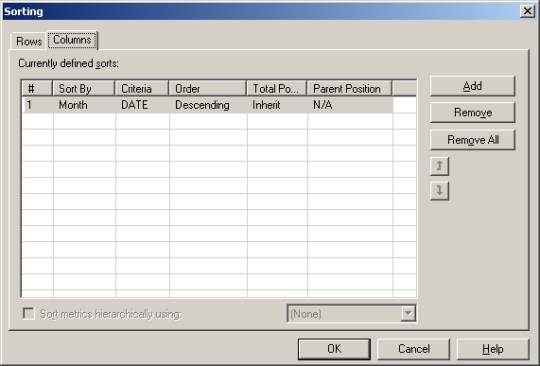
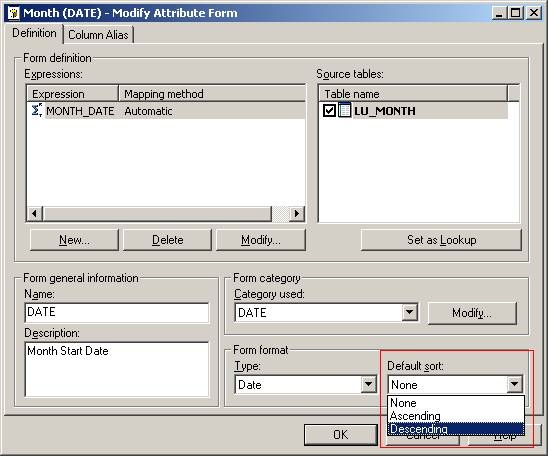
There are two methods to sort an attribute form. One is to sort at the report level using "Advance Sort" and the other is to sort at the attribute level by setting the default sort of the form.
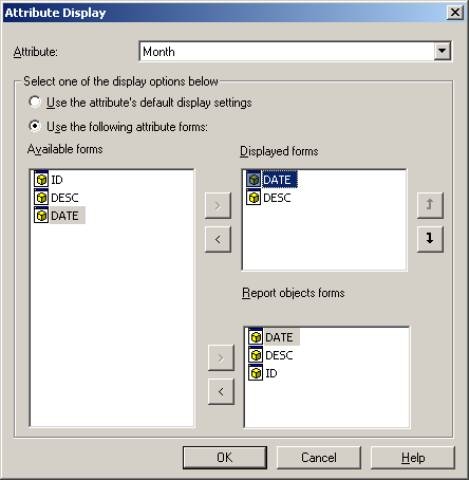
Regardless of which level the sort is set, the form must be accessible from the "Displayed forms" and/or "Report objects form." Making the form accessible from the "Displayed form" will automatically make it accessible from the "Report objects form" as well as make the form visible on the report itself. Thus, to make the form "sort capable," the form must be accessible from the "Report objects form" regardless if it is visible or not on the grid. Strategy OLAP Services is required to have the form in the “Report objects forms” only.
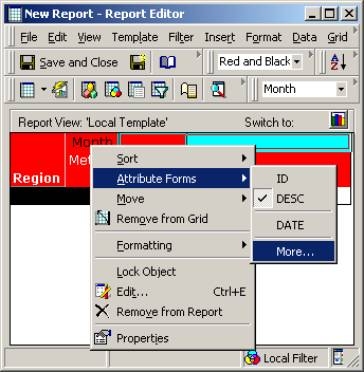
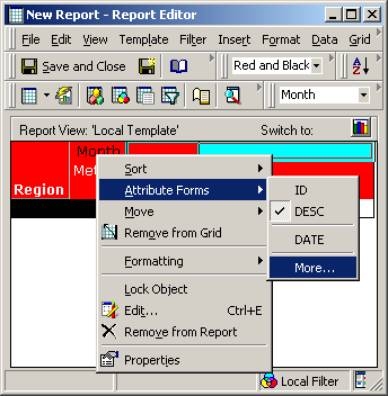
For an available form to be a displayed form and/or a report objects form at the report level, users must open the "Attribute Display" window.
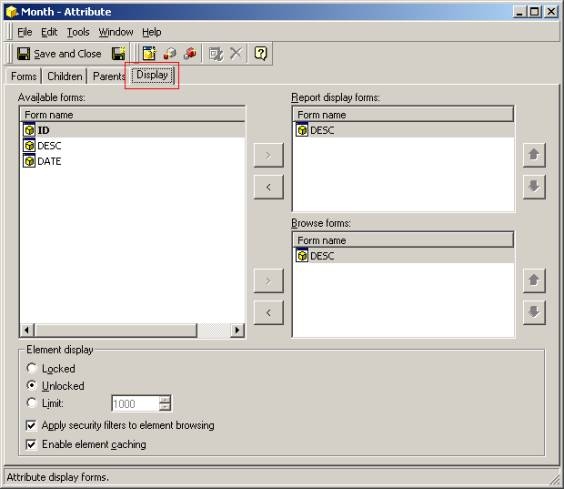
For an available form to be a displayed form and/or a browse form at the attribute level, users must edit the attribute using the attribute editor.
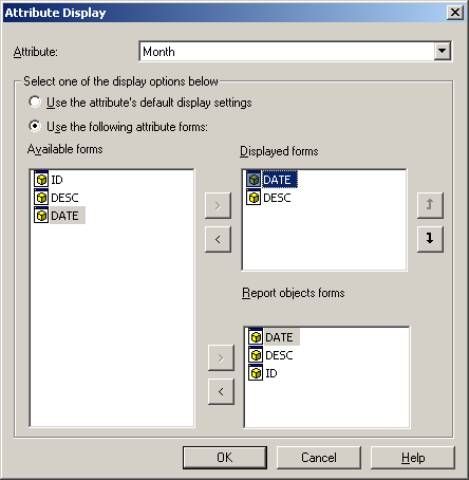
At this point, users will have the option to make an available form be a displayed form and/or a report objects form.
