SYMPTOM:
When users delete a project from the metadata database, they notice that the actual size of the database does not decrease.
CAUSE:
When Strategy deletes information from the metadata tables, it only issues a command to delete the information contained within the tables. Depending on the database system, the size of a database may remain the same even though some of the information contained within it has been deleted.
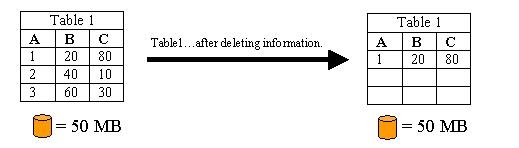
For example, when a table is populated with data, the database system allocates enough disk space to hold the data. This disk space can either be a set limit size, or can grow dynamically as more information is added to the table. The pictorial representation below shows a table populated with data. This table is contained within a database that has a size of 50 MB. After deleting information from Table1, the database size remains the same even though information has been removed from the table. Similarly with the Strategy Metadata, when deleting objects or entire projects, information is being removed from the metadata tables. Yet, the database size remains the same.
ACTION:
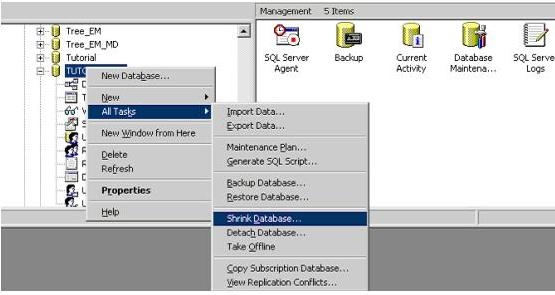
Depending on the database system being used, there are different ways to resize databases. For SQL Server, users can right-click on the metadata database and choose the "Shrink Database…" option to resize the database, as shown below:
Note: Consult the DBA for specifics on the database system being used.
