A user would like to apply filter criteria to an attribute in a certain level of a hierarchy. For example, they would like to count all Call Centers per Region, which have more than $500,000 in revenue.
To achieve this, users must define a set qualification, based on the metric Revenue. To ensure that the “having” clause is applied at the level of the “Call Center” attribute, they must set the Output level, as shown in the following screen shot:

Now, they must place this filter into the metric:
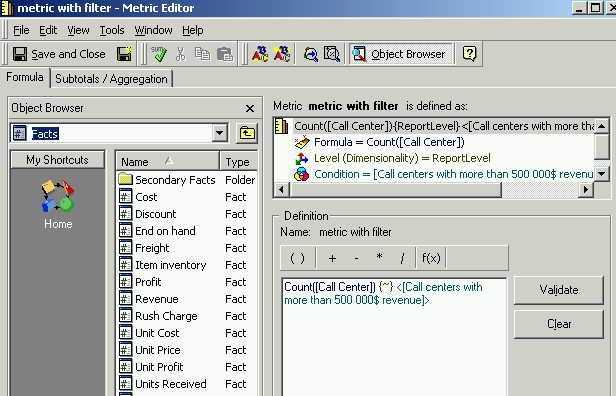
If they place this metric into a report with the attribute Region, for example, they obtain the desired results:

The SQL appears as follows:
Pass1 - Duration: 0:00:00.14
insert into ZZTXT0100ODMQ000
select a11. AS CALL_CTR_ID
from a11
group by a11.
having sum(a11.) > 500000.0
Pass2 - Duration: 0:00:00.12
select a11. AS REGION_ID,
max(a12.) AS REGION_NAME,
count(a11.) AS WJXBFS1
from a11,
pa1,
a12 where a11. = pa1. and
a11. = a12.
group by a11.
Pass3 - Duration: 0:00:00.04
drop table ZZTXT0100ODMQ000
