EducationSoftwareStrategy.com
StrategyCommunity

Knowledge Base

Product

Community

Knowledge Base

TopicsBrowse ArticlesDeveloper Zone

Product

Download SoftwareProduct DocumentationSecurity Hub

Education

Tutorial VideosSolution GalleryEducation courses

Community

GuidelinesGrandmastersEvents
x_social-icon_white.svglinkedin_social-icon_white.svg
Strategy logoCommunity

© Strategy Inc. All Rights Reserved.

LegalTerms of UsePrivacy Policy
  1. Home
  2. Topics

KB10273: Filter and template changes in prompted reports are not saved when users choose “Filter and Template will be prompted” in MicroStrategy Developer


Stefan Zepeda

Salesforce Solutions Architect • Strategy


Filter and template changes in prompted reports are not saved when users choose "Filter and Template will be prompted" in MicroStrategy Developer.

SYMPTOM:
Filter and template changes in prompted reports are not saved when users choose "Filter and Template will be prompted" in Strategy Developer:
 
Consider the following example using the Strategy Tutorial project:
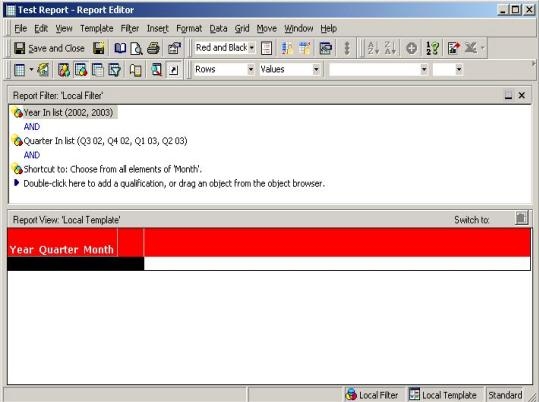
 

  • Create a report with two static filters; one on the attribute 'Year', filtering on 2002, 2003 and the other on 'Quarter', filtering on Q3 02, Q4 02, Q1 03, Q2 03 and a prompt for Month, as shown below:
ka02R000000kZjvQAE_0EM440000002Fuo.jpeg
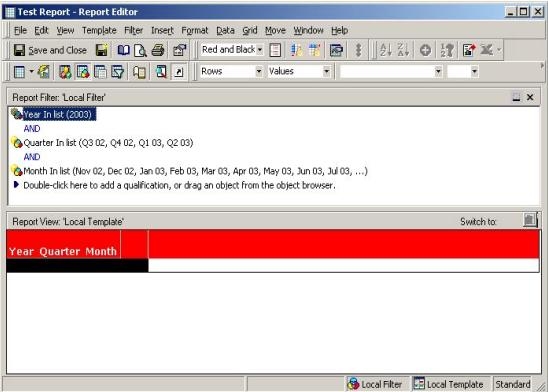
  • Execute this report and edit the Year static filter to filter on 2003 as shown below:
ka02R000000kZjvQAE_0EM440000002Fum.jpeg
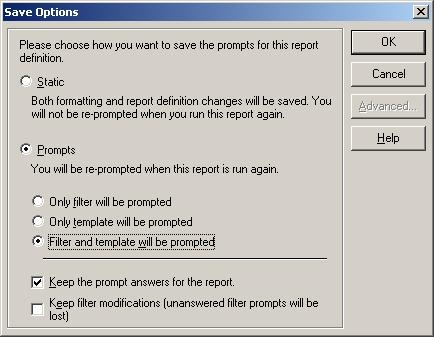
  • Select "Save and Close."  In the pop up window, select "Filter and template will be prompted," as shown below:
ka02R000000kZjvQAE_0EM440000002Fup.jpeg

When opening up the report again in Edit Mode, the user notices that the filter change has not been saved:
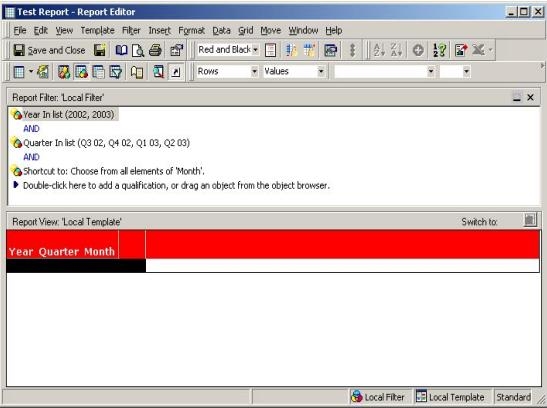
ka02R000000kZjvQAE_0EM440000002Fud.jpeg

 
CAUSE:
This is working as designed. If "Filter and Template will be prompted" was selected, the option discards all the changes made to any filter in the Report Filter definition and the original filter definitions will be used. If a user chooses "Only filter will be prompted," all filter changes will be discarded. If a user chooses "Only template will be prompted," all the changes made to the report template will be discarded.
 
ACTION:
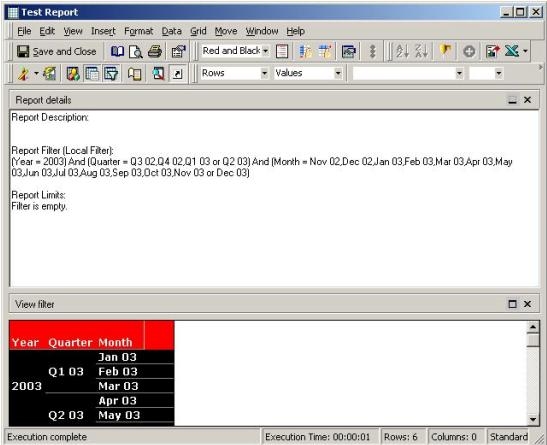
Changes to prompted reports should be performed in design view directly without executing the report first, as follows:
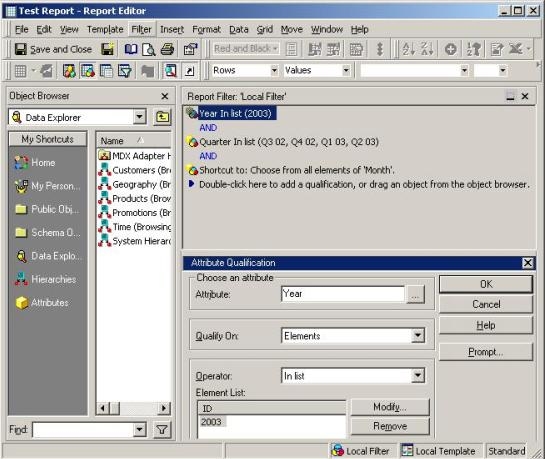
  • Open the report in Edit Mode and remove 2002 from the Year filter and click "Save and Close," as shown below:
ka02R000000kZjvQAE_0EM440000002Fug.jpeg
  • Execute the report again and notice that the filter has been applied, as illustrated below:
ka02R000000kZjvQAE_0EM440000002Fue.jpeg

Comment

0 comments

Details

Knowledge Article

Published:

June 8, 2017

Last Updated:

June 8, 2017