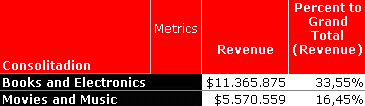
SYMPTOM:
When creating a consolidation, and calculating the percent to total derived metric, the sum of the percentage only adds up to 50%:
CAUSE:
This issue occurs due to a setting in the VLDB properties that causes the values of the percent contributions of the items in each consolidation to be summed up and then divided by two.
ACTION:
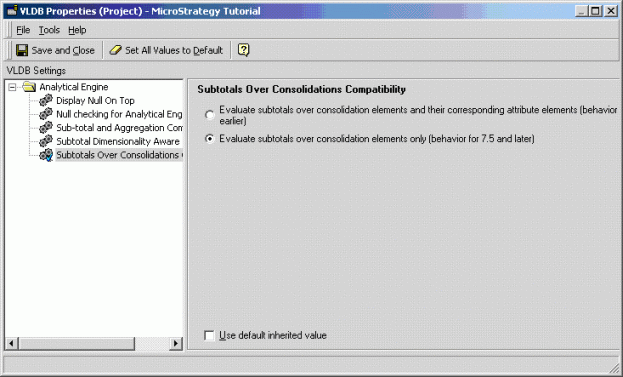
Change the VLDB property 'Subtotals over consolidations compatibility ' from the default to: Evaluate subtotals over consolidation elements only (behavior for 7.5.x and later).
Notice the new setting under Project Configuration > Project Definition > Advanced > Analytical engine VLDB properties > Subtotals over consolidations compatibility:
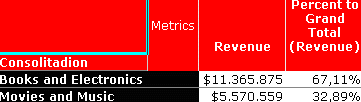
The Strategy Intelligence Server does not need to be restarted for this setting to take effect. If the report is re-executed, the correct percentage values will be displayed in the derived percentage metric: