SYMPTOM:
When accessing Warehouse Catalog in Strategy Developer 9.4.1 and 10.x for a Teradata database, the following error is seen:
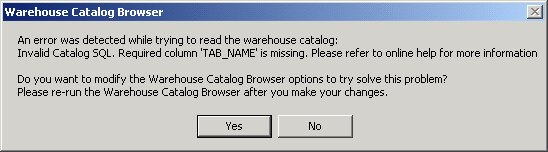
An error was detected while trying to read the warehouse catalog:
Invalid Catalog SQL. Required column 'TAB_NAME' is missing. Please refer to online help for more information

Do you want to modify the Warehouse Catalog Browser options to try solve this problem?
Please re-run the Warehouse Catalog Browser after you make your changes.
Entries similar to the following can be found in the DSSErrors.log:

1440:Invalid Catalog SQL. Required column 'TAB_NAME' is missing. Please refer to online help for more information

1484: Unexpected Error (Line no. 0, Number: 80041E00, Description: Invalid Catalog SQL. Required column 'TAB_NAME' is missing. Please refer to online help for more information , Source: DSSCatalogServer.DSSCatalogServer.1)


NOTE: The option "Disable Parsing" is provided to users in order to enable/disable parsing of SQL statements by the ODBC driver. If the user is using Teradata specific SQL, then the SQL statements need not be parsed by the driver. If this option is checked, the driver does not parse the SQL statements. By default, this option is unchecked.
For use with Strategy, this option does not need to be checked. However, before changing the ODBC configuration, check with the DBA regarding whether unchecking this setting is a valid option.
