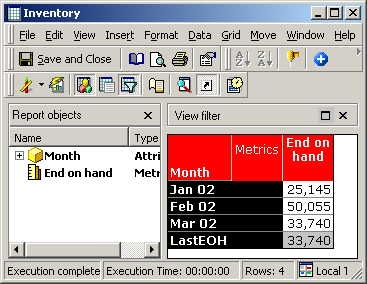
Consider the following report where a user includes the 'Month' attribute and the 'End on Hand' metric:
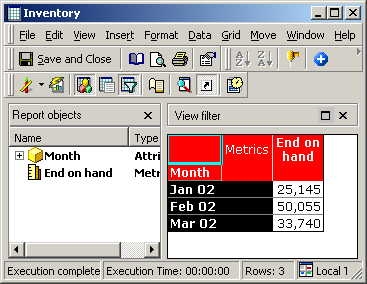
This report displays the stock available for three months. However, if subtotals are enabled on this report, they will display an incorrect value for the Inventory Metric “End on Hand,” as illustrated below:
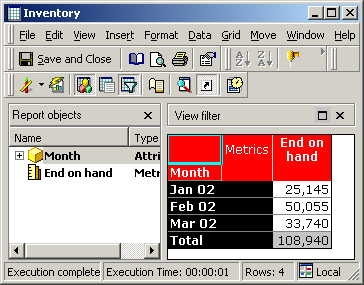
The correct value should be 33,740 and not 108,940. Subtotals for this Inventory Metric should display the count of the available items and not the sum of all the cells in the metric’s column.
In order to configure subtotals to display the count of available items, a “Custom Subtotal” must be created. For details on creating a custom subtotal based on the Function “Last(x),” refer to the following Strategy Knowledge Base document:
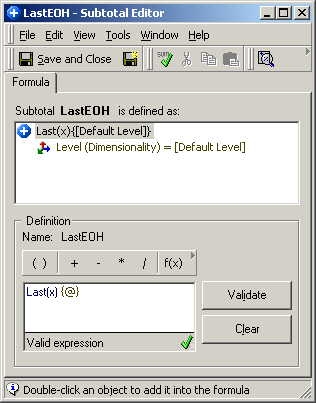
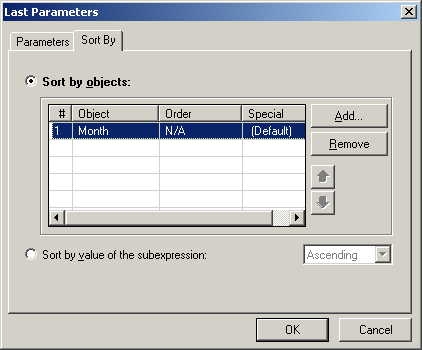
The Last function’s Parameter has sorting configured on the relevant attribute which is “Month” for this particular example:
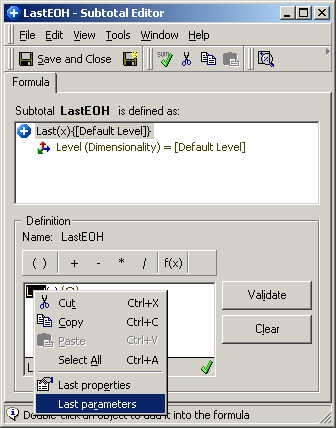
The next screen shot instead shows how the “Sort By” parameter for the Last function must be set. It must be configured according to the attribute that is referred to by the function “Month:”
Notice that the Inventory Metric now displays the correct Subtotal: