SYMPTOM:
When running a report in Strategy Developer in two or three-tier mode, the execution of the report may fail with a SQL execution error. When users double-click for more details, the following error message appears:
Status: Execution failed Error: QueryEngine encountered error: Call SQLExecDirect got SQL_ERROR SQL0198N The statement string of the PREPARE or EXECUTE IMMEDIATE statement is blank or empty. SQLSTATE=42617 Error in Process method of Component: QueryEngineServer, Project 4, Job 30, Error Code= -2147212544.
CAUSE:
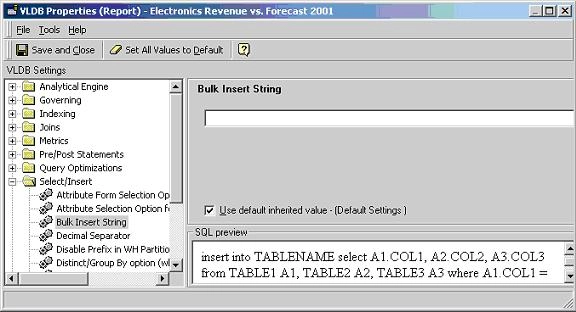
This issue occurs because an invalid character, is present in the SQL string. One such example would be a semicolon that has been inserted before a statement (i.e., Insert). This may happen when users are migrating from one database to another and the database/ project / report VLDB settings do not match the new database. In this example the ‘Bulk Insert String’ VLDB property, which can be found in both the report level and project level VLDB properties, as illustrated below adds a semicolon before the bulk insert SQL:

ACTION:
Users should ensure that VLDB settings are appropriately changed when the database type for the project is changed from one platform to another. In this example, to resolve this issue, go to Data Menu > ‘VLDB Properties’ in the report editor. Choose ‘Select/Insert’ folder, and check the ‘Use Default’ box to ignore anything that was previously chosen for the ‘Bulk Insert String’ setting: