SYMPTOM:
When a user highlights an attribute element and chooses to move the attribute element from the "Available" list box to the "Selected" list box, the highlight moves back to the upper most element in the list box, as shown below:
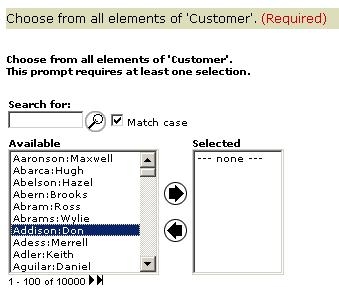
In this example, the end user has selected the "Don Addison" element from the attribute element prompt and moves the element into the left list box using the directional arrows:
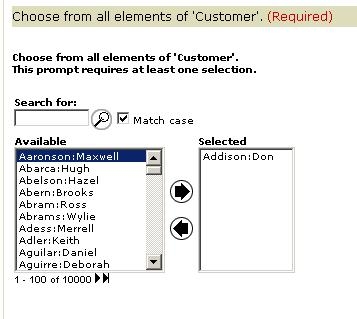
However, after the Don Addison element has been moved to the "Selected" list box, the Highlight bar moves back to the first element Maxwell Aaronson instead of highlighting Merrell Adess, as expected.
CAUSE:
This occurs when DHTML is disabled for the project:

ACTION:
Administrative users can go to the Web Preferences section and under project default and general, ensure that the Dynamic HTML setting is set to 'Determine Automatically.' If the end user has access to their User preferences in Strategy Web, then they must make sure that the user level setting is not overriding the Project Default.
