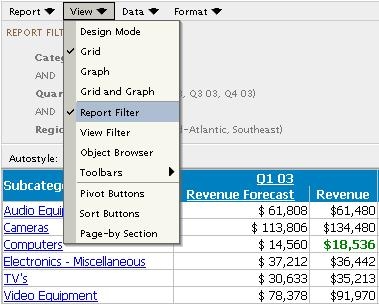
In the report execution page, there are several frames that can be opened that will provide more information on the report. These frames are opened through the report menus, such as View > Report Filter, as shown below:
These menus can be enabled by default, so when a new user executes a report, these frames will already be available. To do so, follow the steps below:
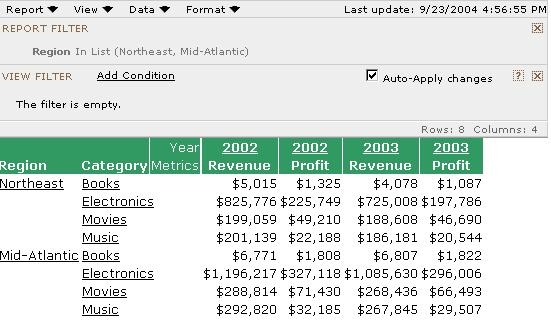
The changes are reflected when a new user (no previous cookies) executes a report. Shown below is the result of the customization using the above XML snippet which enables the report filter and view filter:
Customization Warning:
This customization is provided as a convenience to Strategy users and is only directly applicable to the version stated. While this code may apply to other releases directly, Strategy Technical Support makes no guarantees that the code provided will apply to any future or previous builds. In the event of a code change in future builds, Strategy Technical Support makes no guarantee that an updated version of this particular customization will be provided. For enhancements to this customization or to incorporate similar functionality into other versions, contact your Account Executive to inquire about Strategy Consulting assistance.
