SYMPTOM:
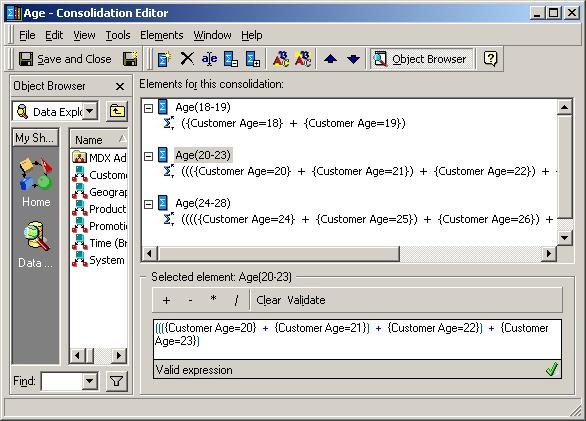
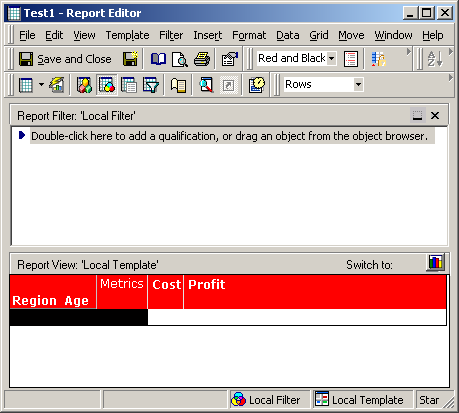
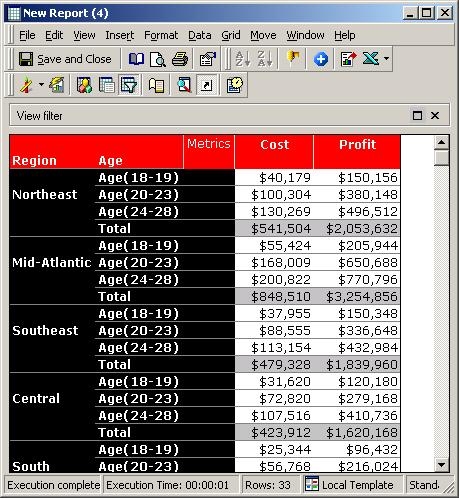
In Strategy Desktop, users notice the subtotals for consolidations in a report are doubled. The following steps use the Strategy Tutorial project to reproduce this issue:
CAUSE:
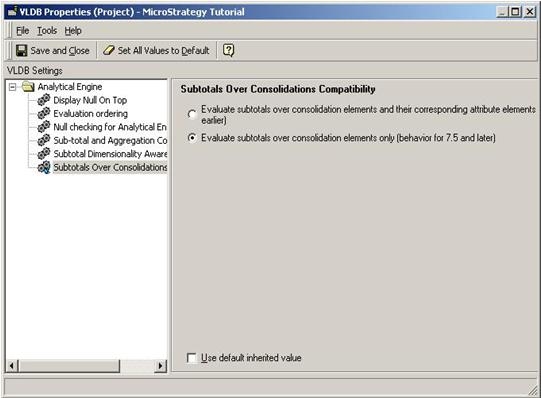
This is because the project level setting of Subtotals over Consolidation Compatibility is set to 'Evaluate subtotals over consolidation elements and their corresponding attribute elements.' This setting adds all the individual attribute element values and is then added to the total consolidation value.
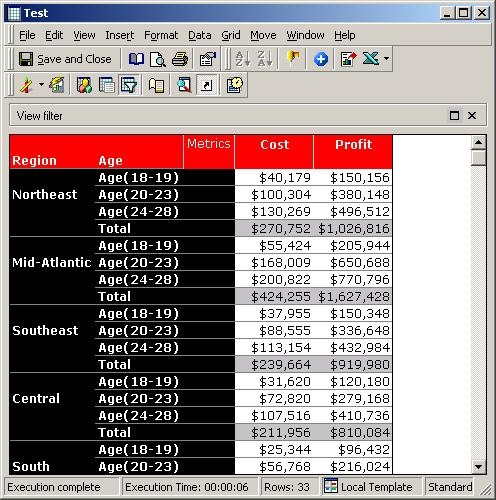
For example, for the consolidation created above, all the individual consolidation element values are added first (for the Profit metric, the individual element values add up to 150,156 + 380,148 + 496,512 = 1,026,816). This value is then added to the total consolidation value for the metric (1,026,816) and is thus doubled.
Similarly, consider the consolidation created below using the subtraction operator:
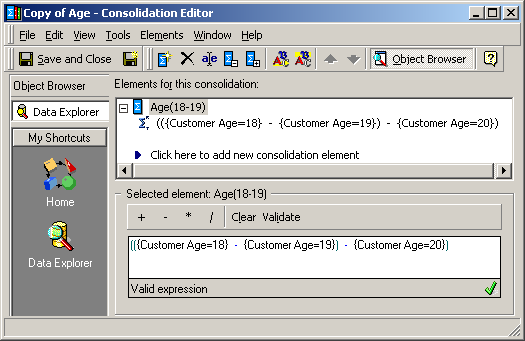
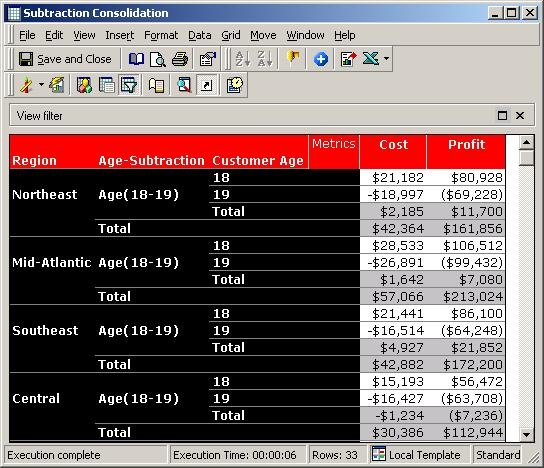
Now, after placing the consolidation and the attribute Customer Age in the report, notice that the Cost subtotal for the Age-Subtraction consolidation is seen as $42,364 instead of $2,185. This is because according to the default VLDB Setting mentioned above, the absolute values of the individual attribute elements are added (21,182 + abs(-18,997) = $40,179). This number is now added to the subtotal value of $2,185 which is why the Cost subtotal for the consolidation for Northeast Region is displayed as $42,364:
ACTION:
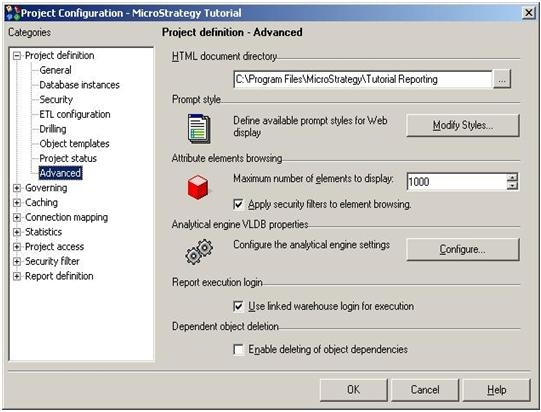
To resolve this issue, perform the following steps:
The subtotals will now display the correct values:
KB10884
