SYMPTOM:
Users in Strategy Developer 9.4.1 and 10.x, encounter the following error when browsing attribute elements, under the following conditions:

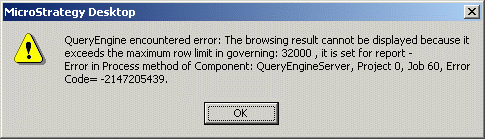
QueryEngine encountered error: The browsing result cannot be displayed because it exceeds the maximum row limit in governing: number, it is set for report - Error in Process method of Component: QueryEngineServer, Project p, Job j, Error Code=-2147205439.

"Number of element rows" refers to the maximum number of elements that can be retrieved from the database. If an attribute has more elements than this, it will not be possible to browse that element in Strategy Desktop.
"Maximum number of elements to display" refers to the number of elements that will be displayed at one time in Strategy Developer in any attribute list, such as those in the filter or prompt editors, or in the data explorer. These editors feature "Previous number" and "Next number" buttons, in which the number of elements shown is the lower of the "maximum number of elements" setting and the attribute's browsing limit. (The browsing limit is set in the attribute editor, on the Display tab.) It is effectively a "page size" setting, not a hard limit for element retrieval.
The maximum number of elements to display should be less than the number of element rows. It is expected that users should be able to access all the elements of large attributes, but only in segments, to avoid the poor performance of retrieving the complete element set before displaying any elements.
If the maximum number of elements to display is larger than the row limit, it defeats the purpose of the display elements setting. In this case, Strategy blocks the query since it may be attempting to display more rows than the Query Engine is permitted to retrieve (by the element row limit).
Strategy Web manages the retrieval and display of attribute elements differently from Desktop, so the error may not occur in Web.
ACTION:
Lower the "Maximum number of elements to display" setting to be lower than, or at most equal to, the "Number of element rows" setting.
The default number of elements to display is 1000, as this is a reasonable number to browse through in the Strategy Desktop editors without impacting performance. Administrators should consider carefully whether a higher setting is truly necessary.
