EducationSoftwareStrategy.com
StrategyCommunity

Knowledge Base

Product

Community

Knowledge Base

TopicsBrowse ArticlesDeveloper Zone

Product

Download SoftwareProduct DocumentationSecurity Hub

Education

Tutorial VideosSolution GalleryEducation courses

Community

GuidelinesGrandmastersEvents
x_social-icon_white.svglinkedin_social-icon_white.svg
Strategy logoCommunity

© Strategy Inc. All Rights Reserved.

LegalTerms of UsePrivacy Policy
  1. Home
  2. Topics

KB11015: Broken links for report images appear when created from an HTML document object in MicroStrategy Desktop 9.4.1 and 10.x


Stefan Zepeda

Salesforce Solutions Architect • Strategy


Broken links for report images appear when created from an HTML document object in MicroStrategy Desktop 9.4.1 and 10.x

SYMPTOM
Users notice that HTML files contain broken links to Strategy report images. These images are created from an HTML Document object in Strategy Desktop 9.4.1 and 10.x. The following example uses the Strategy Tutorial project to illustrate this issue:
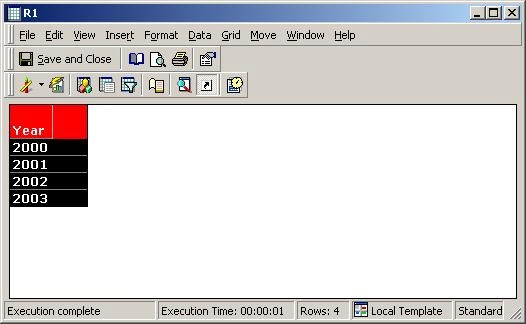
  • Create a simple report:
ka02R000000kVtYQAU_0EM440000002FnY.jpeg
  • Create an HTML Document and insert report R1 into the document. Select "NoLink.xsl."
  • Go to File Menu > Save Layout File As and create an arbitrary HTML file.

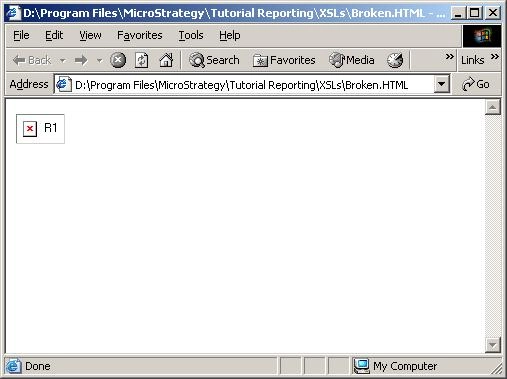
When the HTML file is generated, the link to the report is lost and the HTML file displays a broken link:
ka02R000000kVtYQAU_0EM440000002Fnj.jpeg

 
A code snippet in the HTML source shows that the location of the image file is undefined:


<IMG alt=R1 src="file:\\\$MSTRAppPath$\images\grid.bmp" xsl="\NoLink.xsl" eid="1">
 

CAUSE
This issue stems from a misunderstanding of the purpose of an HTML Document's layout file. The layout file is not meant to be a fully rendered HTML Document capturing the results of a particular execution of the document. Instead, it contains the elements of the HTML Document, with markup tags to position the elements relative to each other. The layout file should not display a report grid in that location; the image reference is merely a placeholder for report results that will be populated when the HTML Document is executed.
 
There should be no need to open the layout file of an HTML Document outside of the HTML Document editor in Strategy Desktop 9.4.1 and 10.x.
 
ACTION
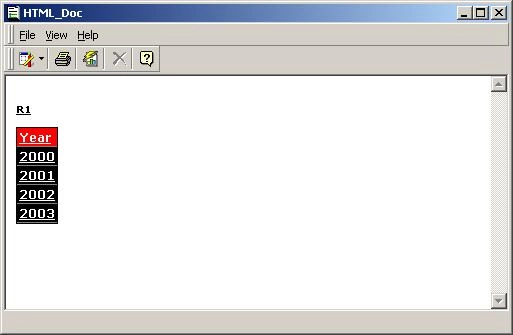
If the intent is to save the HTML Document results so that they may be opened in a Web browser without logging into the Strategy project, then the HTML Document should be executed before saving an HTML file.

  • Execute the HTML Document object in 3-tier, as shown below:
ka02R000000kVtYQAU_0EM440000002FnS.jpeg
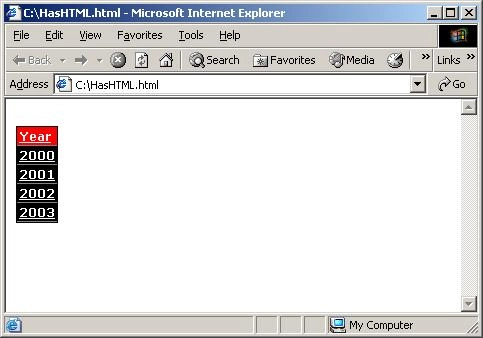
  • Go to File Menu > Save HTML As and create a new HTML file. Note that this menu command is different. When editing the HTML Document before running it, the File menu has an option to save the layout file. After executing the HTML Document viewing its results, the File menu command is "Save HTML As."

The resulting HTML file now includes all of the data from the HTML Document.
ka02R000000kVtYQAU_0EM440000002FnW.jpeg


Comment

0 comments

Details

Knowledge Article

Published:

May 18, 2017

Last Updated:

May 18, 2017