In Strategy, users can create and manage datamart tables in a different schema, database, or server from the data warehouse. This is done by using an additional database instance to handle the separate location for the datamarts. Datamart optimization can be used to improve performance in this situation if the database for the datamart resides on the same server as the data warehouse.
When using datamart optimization, the data will be directly inserted into the datamart tables from the data warehouse tables. Otherwise, the data will be retrieved from the data warehouse and inserted into the tables by Strategy Intelligence Server.
Refer to the following Strategy Knowledge Base document for more information regarding the use of datamarts and datamart optimization:
Datamart optimization can be utilized as long as temporary tables are not used when creating datamarts. This is because two connections are made to the database when the datamart tables are created. The first connection, or session, is made to the data warehouse where the data is retrieved from the data warehouse tables using the data warehouse database instance. Any temporary tables created will be managed by this session.
The second connection is made to the database using the datamart database instance. If optimization is enabled, the second session will attempt to retrieve the data generated in the first session and insert it into the datamart tables. Because temporary tables are only available in the session in which they are created, the datamart table creation will fail when it attempts to retrieve data from the temporary tables managed by the first session.
Consider the following SQL:
select a11.Customer_ID Customer_ID, count(a11.Customer_ID) Customer_Count
into #ZZMD00
from Sales_Fact a11
where (a11.Customer_Sales_Date between CONVERT(datetime, `2004-11-01 00:00:00`, 120) and CONVERT(datetime, `2004-11-29 00:00:00`, 120)
group by a11.Customer_ID
drop table Customer_Data_Mart_Table
select distinct pa1.Customer_ID Customer_ID, a11.Customer_Name Customer_Name, pa1.Customer_Count Customer_Count,
into Customer_Data_Mart_Table
from #ZZMD00 pa1
left outer join LU_Customer a11
on (pa1.Customer_ID = a11.Customer_ID)
drop table #ZZMD00
Since the temporary table #ZZMD00 will only be accessible to the first session (i.e., the session that will execute the first pass), when the second session attempts to run the second pass, an error message will be returned stating that #ZZMD00 is an invalid object.
To overcome this limitation, three options are available:
How to modify the datamart optimization:
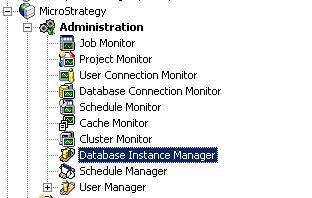
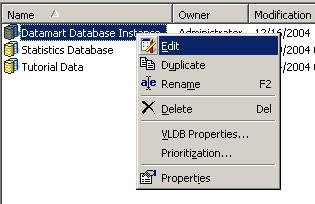
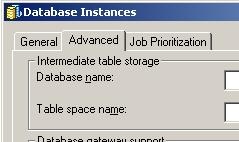
To unselect the option to use datamart optimization in the database instance, perform the following:

How to modify the temporary table type:
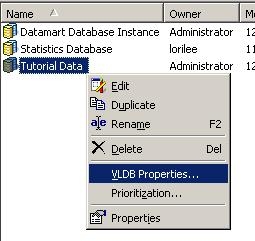
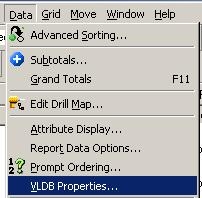
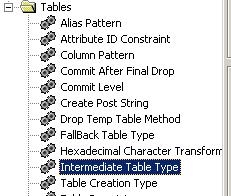
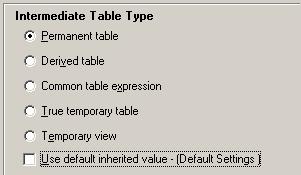
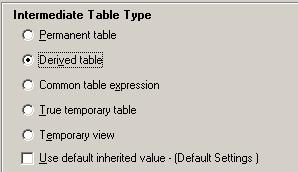
Note: Restart Strategy Intelligence Server if the change was made at the database instance level or re-open and re-execute the datamart report if the change was made at the report level.
