SYMPTOM:
When a user attempts to connect to Strategy Office, they receive the following error message when they access it through any Microsoft Office product:
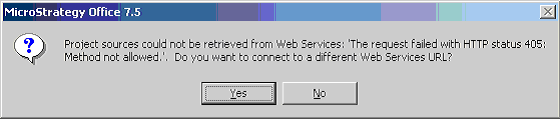
Project sources could not be retrieved from Web Services: 'The request failed with HTTP status 405: Method not allowed.'
This error occurs to all users and also appears on all end user machines.
CAUSE:
This issue occurs because no project sources are listed in the projectsources.xml file in the StrategyWS virtual directory.
ACTION:
Open and edit the projectsources.xml file and enter a valid project source between the ProjectSourceName tags. Additionally, ensure that the Server name listed between the ServerName tags is accurate.
The structure of this file is as follows:
<ProjectSources>
<ProjectSource>
<ProjectSourceName>Name</ProjectSourceName>
<ServerName>Name</ServerName>
<AuthMode>MWSStandard</AuthMode>
</ProjectSource>
...
</ProjectSources>
