The VLDB property 'Unrelated Filter Options' is accessible from the Data > VLDB Properties > Query Optimizations contains the following options:
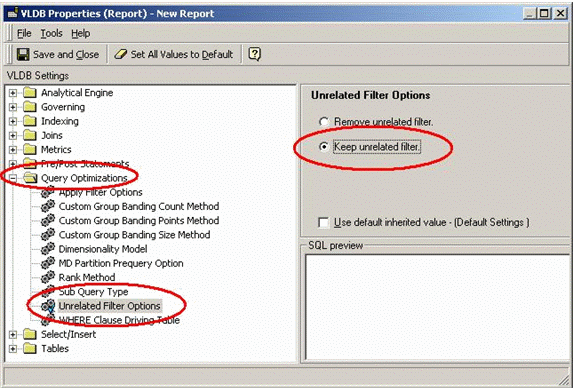
By default, the Strategy Engine removes any filter criteria if it doesn't relate to any objects on the report. The option 'Keep Unrelated Filter' will retain filter(s) unrelated to objects in the template only when
In absence of either condition, the Engine ignores the unrelated filter.
Examples of such conditions are listed below:
Consider a report with 'Year' on the template. In the report filter area, a Joint Element List is defined with in list , ] and Country In List (USA), as shown below:
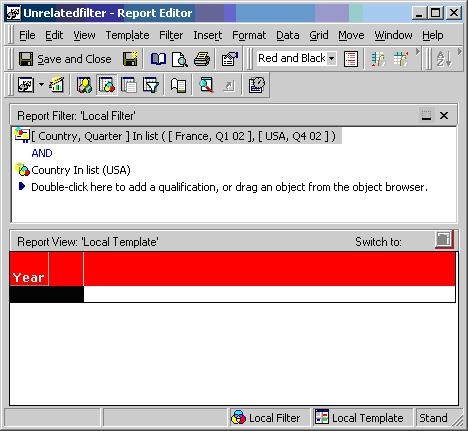
In the generated SQL, the Strategy Engine understands that one or more conditions in the filter are not related to the attributes on the template and removes the condition. For the above report, the following SQL is generated:
select distinct a11. AS YEAR_ID
from a11
where (a11. = 20021
or a11. = 20024)
In order to keep the unrelated filters as well, the VLDB setting 'Keep Unrelated Filter' must be enabled. It is located in VLDB Settings > Query Optimizations > Unrelated Filter Options.
In this report, the two filters with Quarter and Year interact with each other (Condition A) AND the Country filter does not interact with the attributes on the template (Condition B).
Note how the SQL changes below:
create table ZZSQ00 (
QUARTER_ID SHORT)
insert into ZZSQ00
select distinct s22. AS QUARTER_ID
from s21,
s22
where (((s21. = 4
and s22. = 20021)
or (s21. = 1
and s22. = 20024))
and s21. in (1))
select distinct a11. AS YEAR_ID
from pa1,
a11
where pa1. = a11.
