When a Report Services document or HTML document is executed in a project, separate jobs are created for each report that is associated with the document. Each of the report jobs and document jobs will log the normal statistical information into the Enterprise Manager tables.
Consider the following scenario:
In a newly initialized Enterprise Manager (EM) installation, the EM tables are empty, including IS_REP_FACT:

A document is executed in a project logging statistics. A separate job for the document and each report will appear in the Job Monitor:

Once the data is loaded into Enterprise Manager (either via a scheduled or manual data load) information regarding the jobs will now appear in the tables, including IS_REP_FACT:
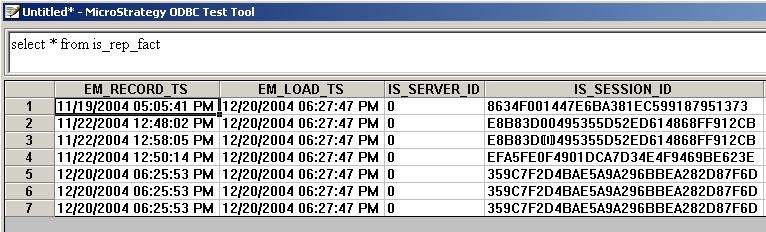
Note: The IS_DOC_JOB_ID and IS_DOC_ID columns in the IS_REP_FACT table respectively indicate the document job number and the document ID if a report execution is because of a document execution. If the report execution is not from a document execution, then both these columns would have a value of -1.
A Strategy Enterprise Manager report displaying reports that were executed since the last data load now returns:

