Defining connection maps for multiple database instances
The Connection Mapping editor makes it possible to create connection maps associated with multiple database instances. For example, consider the following Connection Mapping editor:
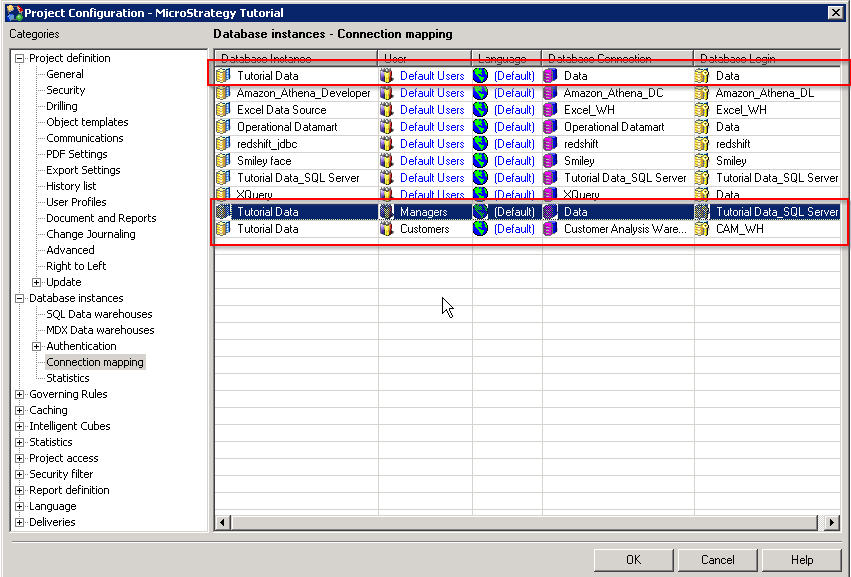
In the above example, connection maps are associated with two database instances, "Tutorial Data" and "DBInstance2." Note that the connection maps associated with "Tutorial Data" are split into two sections.
Behavior of connection maps with multiple database instances:
Connection mappings take effect only when the associated database instance is used in a report.
Most reports use only the project's primary database instance, which is specified in the Project Configuration window under Database Instances.
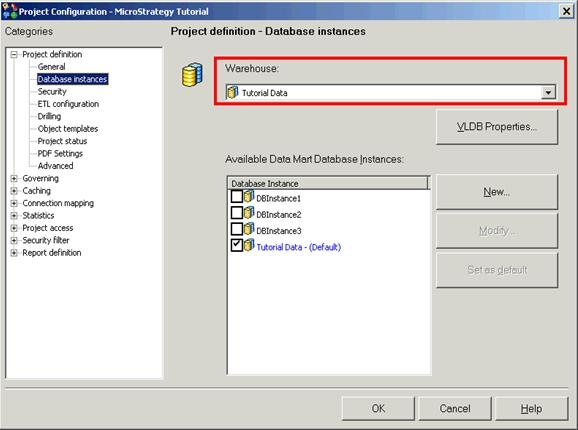
Database instances other than the project default warehouse may be used in a report, in the following cases:
In eXtended Data Access reports, one database instance is used for all of the report's database processing. When the database connection is opened, the connection map associated with the database instance and user will take effect.
With the Multisource Reporting option in Strategy 9.x, a single report may execute queries against different databases. Such reports will open multiple database connections, one per distinct database instance. Each connection will use the connection mapping belonging to the database instance and user.
Connection mappings for database instances that are not used in a given report will be ignored for that report.
