SYMPTOM
Users choose different log files for each counter selected in the Performance Configuration tab in Strategy Diagnostics and Performance Logging tool. However, after saving, all counters are set back to the name of the last log file selected prior to the save:

Consider the following example where a user selects the following counters and saves the changes:
DSSAnalyticalEngineServerTaskCPU Time (sec) ---- Testing_File0
DSSAnalyticalEngineServerTask Elapse Time (sec) ---- Testing_File1
After saving, the user notice that the file for the DSSAnalyticalEngineServerTask CPU(Sec) is reset to the last file selected before saving which is Testing_File1.
CAUSE
This is working as designed. Server Diagnostics Configuration can only log to one file.
ACTION
Specify a single filename that will be used to record all counters. The default location of this file is /Drive/Program files (x86)/Common Files/MicroStrategy/filename.csv. Note that this destination cannot be changed.
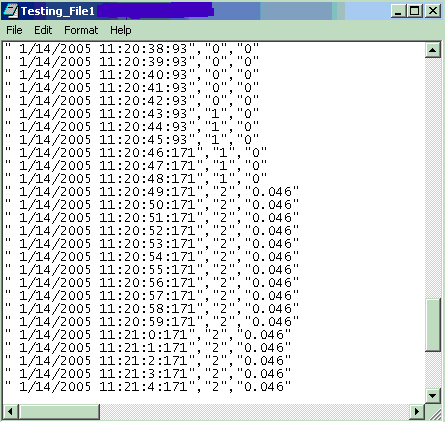
A column in the .csv file will be listed for each counter specified and will be logged in the order listed in the Server Diagnostics Configuration Editor. The following screen shot is obtained using the example above: