SUMMARY
Prior to Strategy Intelligence Server 8.x, there was a ten second timeout on the SQL statements involving the purging of statistics data. If the delete operation against a particular statistics table could not be performed within ten seconds, a SQLCancel was issued by Statistics Manager. Statistics Manager then moved onto the next delete statement. This timeout applied to each statistic table (each delete statement) and was hard-coded.
In Strategy Intelligence Server, this timeout can be configured by the user through the 'Purge timeout' setting. This setting appears under Project Configuration -> Statistics -> Purge as seen below:
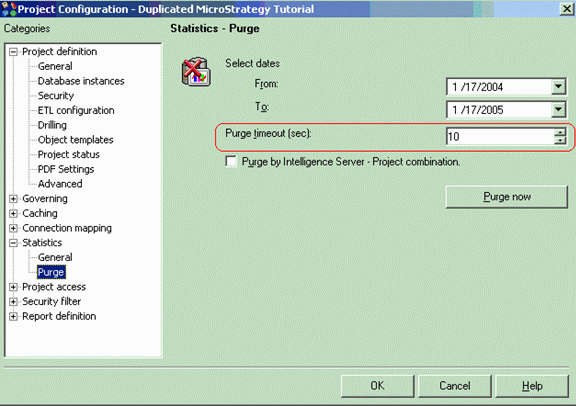
This setting exists at both the server and project levels.
This setting applies to each statistics table (each delete statement) in Intelligence Server 9.x. In general, this setting should be set to a higher value, if statistics data will be purged over a longer time period. The default value is 10 seconds.
