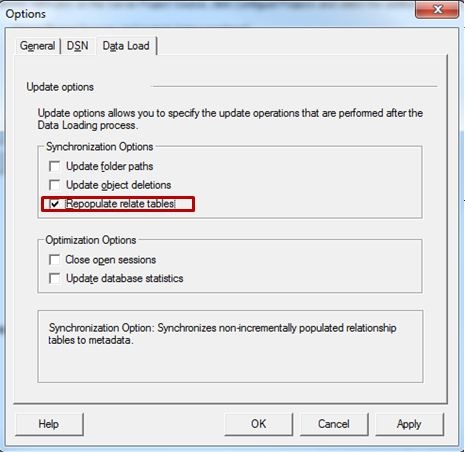
The "Repopulate relate tables" option may be used to refresh the relationship tables in the Strategy Enterprise Manager warehouse. It synchronizes the Enterprise Manager relationship tables with current object relationships so that these relationship tables reflect the current state of the metadata.
In Strategy Enterprise Manager 9.x, it is not really necessary to run this option unless users find missing or incorrect information in the relate tables as relate tables are updated as part of regular data loads. Refer to the following Strategy Knowledge Base document for further details:
KB36189 : Changes to the dataload process in Strategy Enterprise Manager 9.x for updating relationship tables in Strategy Enterprise Manager warehouse.
The "Repopulate relate tables" option may be run in two different ways:
1. As part of the data load process by enabling it through the Tools > Options > Data Load in the Enterprise Manager Console, as shown in the following screen shot:
2. As stand-alone process (not as part of the data load) from Tools > Data Load Options in the Enterprise Manager Console, as shown below:

The list of relationship tables that are re-populated by this option is stored in the table EM_RELATE_ITEM.
