EducationSoftwareStrategy.com
StrategyCommunity

Knowledge Base

Product

Community

Knowledge Base

TopicsBrowse ArticlesDeveloper Zone

Product

Download SoftwareProduct DocumentationSecurity Hub

Education

Tutorial VideosSolution GalleryEducation courses

Community

GuidelinesGrandmastersEvents
x_social-icon_white.svglinkedin_social-icon_white.svg
Strategy logoCommunity

© Strategy Inc. All Rights Reserved.

LegalTerms of UsePrivacy Policy
  1. Home
  2. Topics

KB11426: How to change the order of attributes in the SELECT clause for more effective indexing on the temporary tables in MicroStrategy 10.x


Community Admin

• Strategy


The order of attributes in the SELECT clause is not determined alphabetically or by the position on the template.

The order of attributes in the SELECT clause is not determined alphabetically or by the position on the template.
 
Consider a report with the attributes "Brand" and "Customer State" and the metrics "Revenue" and "Cost," illustrated below:
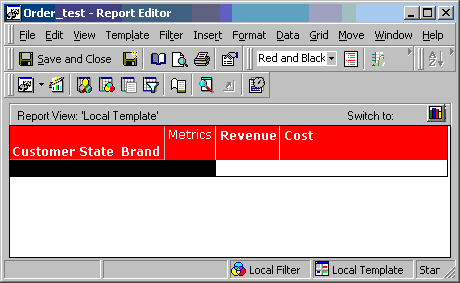
ka04W000000OhLwQAK_0EM440000002FkP.gif

 
The report generates the following SQL:
 
select a15. AS CUST_STATE_ID,
a12. AS BRAND_ID,
sum((a11. * (a11. - a11.))) AS Revenue_test
from a11,
a12,
a13,
a14,
a15
where a11. = a12. and
a11. = a13. and
a13. = a14. and
a14. = a15.
and a13. = 1
group by a15.,
a12.
create index ZZMD00_i on ZZMD00 (CUST_STATE_ID, BRAND_ID)
Customer State is selected before Brand regardless of the order in which attributes are placed on the template.
 
In order for a user to change the order of attributes used in the SELECT clause, the Attribute Weights must be altered. To do this, perform the following steps:
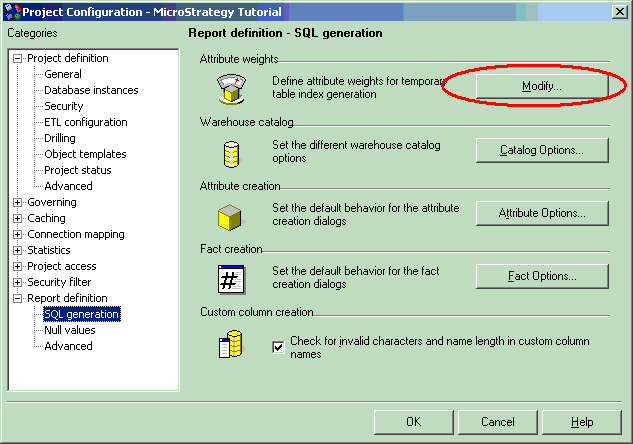
 

  • Right-click the project and choose Project Configuration Editor > Report Definition > SQL Generation > Attribute Weights > Modify:
ka04W000000OhLwQAK_0EM440000002FkQ.gif
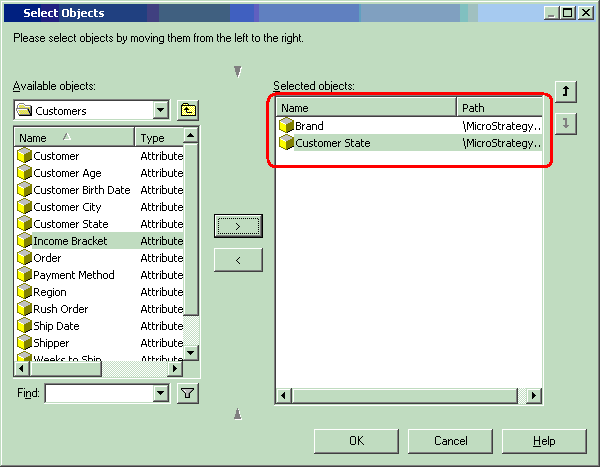
  • Select Brand followed by Customer State so that Brand has a higher weight:
ka04W000000OhLwQAK_0EM440000002FkW.gif
  • The Original report will now use Brand first in the SELECT clause and then Customer State. The following SQL will be returned:
    insert into ZZMD00
    select a12. AS BRAND_ID, a15. AS CUST_STATE_ID,
    sum((a11. * a11.)) AS WJXBFS1
    from a11,
    a12,
    a13,
    a14,
    a15
    where a11. = a12. and
    a11. = a13. and
    a13. = a14. and
    a14. = a15.
    and a13. = 1
    group by a12.,
    a15.
    create index ZZMD00_i on ZZMD00 (BRAND_ID,cUST_STATE_ID)

For more details on Attribute Weights, refer to the following Strategy Knowledge Base document:
 
KB8983: What is the “Attribute weights” setting in MicroStrategy Developer 9.x.


Comment

0 comments

Details

Knowledge Article

Published:

May 24, 2017

Last Updated:

May 24, 2017