SYMPTOM:
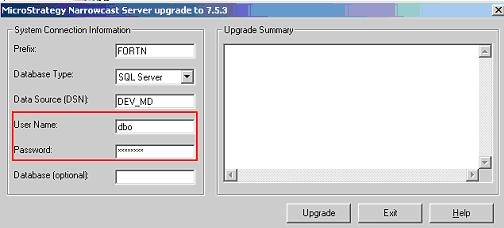
Users attempt to upgrade their Strategy Narrowcast System by using the System upgrade tool, shown below:

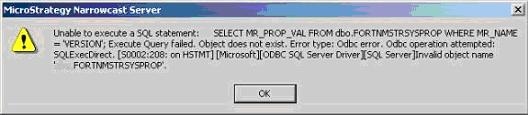
Once they click 'Upgrade,' users see the following error message:
CAUSE:
This error occurs because the login used to connect to the database is not recognized as the owner of the tables on the Narrowcast Repository. When users click on the 'Upgrade' button, accessing table MSTRSYSPROP checks the table current version of the repository. If the login used to perform the upgrade does not have the correct permissions to perform this action, the users will see the error message above.
ACTION:
When performing the System Upgrade, fill out the 'User Name' and 'Password' sessions of the Upgrade tool with a user login that is considered the table owner of the Narrowcast Repository tables or that has enough privileges to perform the upgrade:
After imputing the correct login to the database and clicking on 'Upgrade,' the system will be upgraded and users should see a message indicating that the process completed successfully, as shown below:
