SYMPTOM:
When users attempt to execute a report, SQL for the report is not generated and the following error appears:

There are X tables in the SQL generated, exceeding the upper limit of %4 tables Error in process method of Component SQLEngine Server, Project#, Job XXXX, error Code=-2147211007.
CAUSE:
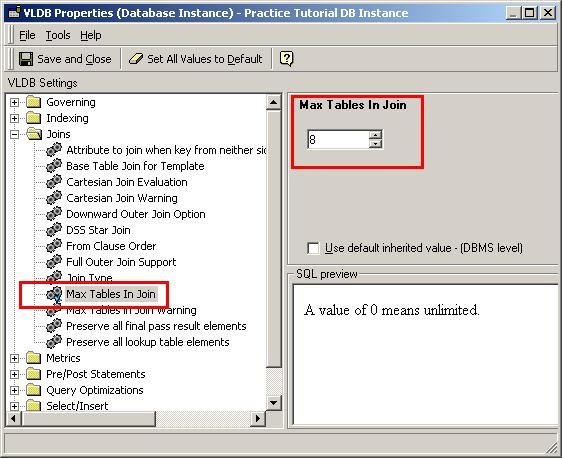
This error appears because the setting on the "Max Tables in Join" VLDB property has been exceeded.
Strategy sets the default number of tables for the "Max Tables in Join" VLDB property depending on the database type used for the warehouse.
ACTION:
To resolve the above error, Strategy administrators must increase the "Max Tables in Join" property for the database instance used in the project. To achieve this, perform the following steps:
Note:
The above steps will allow Strategy reports to generate the SQL with up to the number of tables selected for "Max tables in Joins" VLDB Property. There can be a similar limit set on the Database that will reject the SQL query generated by the report. In this case, contact the DBA to resolve the issue with the warehouse.
