When opening the warehouse catalog, if a user has access to two schemas in the warehouse database, only the tables from one schema are displayed. However, when using the ODBC test tool, the tables from both schemas are available for querying. To do this, the user must customize the SQL statement that queries the database catalog tables to ensure that the tables from the other schema are also queried.
This can be done by accessing the Warehouse catalog Read Settings (options > Catalog > Read Settings), as seen below:
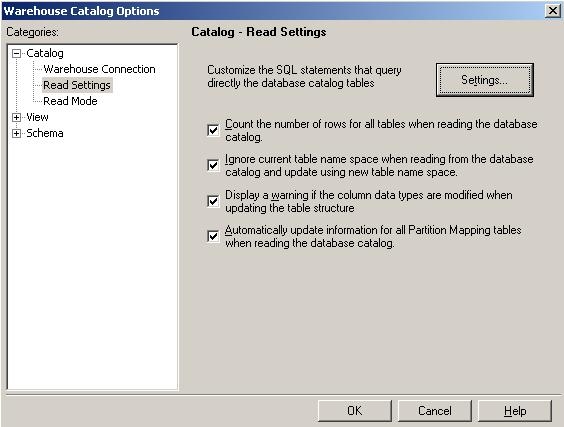
Click on Settings and change the SQL to include the tables needed:

Then, adapt the default scripts, provided below as an example:
Default table names:
SELECT DISTINCT OWNER NAME_SPACE, TABLE_NAME TAB_NAME
FROM ALL_TAB_COLUMNS
WHERE OWNER = `#LOGIN_NAME#`
Default column names:
SELECT OWNER NAME_SPACE, TABLE_NAME TAB_NAME, COLUMN_NAME COL_NAME, DATA_TYPE DATA_TYPE, DATA_LENGTH DATA_LEN, DATA_PRECISION DATA_PREC, DATA_SCALE DATA_SCALE
FROM ALL_TAB_COLUMNS
WHERE TABLE_NAME in (#TABLE_LIST#)
ORDER BY 1, 2
