SYMPTOM:
A user has an attribute defined as follows:
Date(DATE_ID)
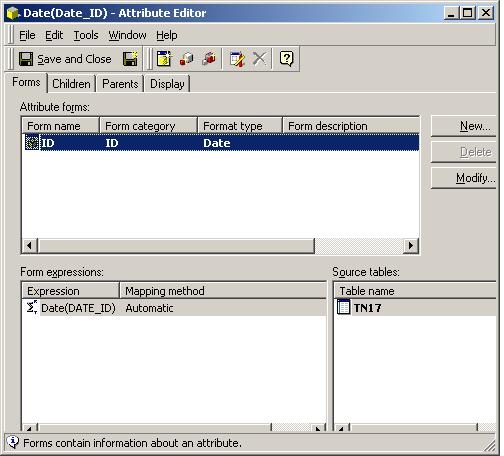
When executing a report with this attribute, the user will receive the following error:
QueryEngine encountered error: Execute Query failed. Error type. Odbc error. Odbc operation attempted: SQLExecDirect. Data type mismatch in criteria expression.
CAUSE:
Compare the report's SQL generated which uses the DATEVALUE function for the Date(DATE_ID) attribute to the values stored for DATE_ID:
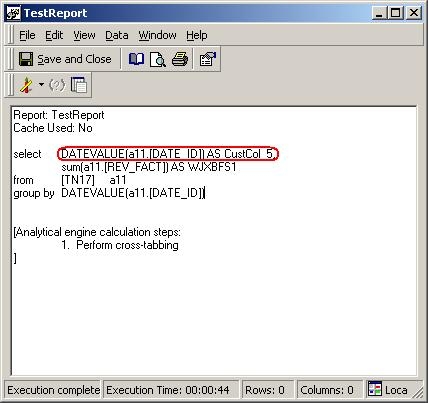
Notice there are NULL IDs for DATE_ID.
The native Microsoft Access function "DATEVALUE," into which Strategy converts its Date Function, can only accept the data type of a Timestamp, and is unable to process NULL values.
ACTION:
When receiving "Data type mismatch" errors such as these, always check to see into what native Database function Strategy converts its functions. Do this by viewing the SQL of the report to determine if there are any limits on the datatypes or values that the Database functions can handle.
