SYMPTOM:
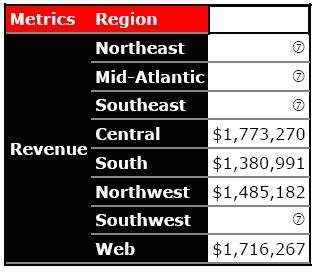
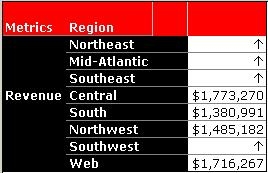
A user has a Report Services document based on a Strategy Developer report which uses thresholds to replace metric values with Wingding symbols. However, these Wingding symbols are displayed incorrectly. Depending on the symbol selected, the symbol displayed in Report Services will vary.
Report in Report Services:
Report in Developer:
Threshold setup in Developer:

CAUSE:
The Wingdings fonts that are in the upper half of the single-byte range (with code greater than 128) are in the range of characters that are not properly displayed by Adobe Acrobat.
ACTION:
Embed the font in the Acrobat Document rather than having Acrobat resolve the font. This can be done by following the steps below:

After making this change, the symbols are displayed correctly in Report Services:

Third Party Software Installation
WARNING:
The third-party product(s) discussed in this technical note is manufactured by vendors independent of Strategy. Strategy makes no warranty, express, implied or otherwise, regarding this product, including its performance or reliability.
