EducationSoftwareStrategy.com
StrategyCommunity

Knowledge Base

Product

Community

Knowledge Base

TopicsBrowse ArticlesDeveloper Zone

Product

Download SoftwareProduct DocumentationSecurity Hub

Education

Tutorial VideosSolution GalleryEducation courses

Community

GuidelinesGrandmastersEvents
x_social-icon_white.svglinkedin_social-icon_white.svg
Strategy logoCommunity

© Strategy Inc. All Rights Reserved.

LegalTerms of UsePrivacy Policy
  1. Home
  2. Topics

KB11891: 'A default table space could not be found with a pagesize of at least 4096' error message occurs when performing recursive searches from MicroStrategy Developer against a metadata that resides in a DB2 UDB for Windows & Unix database


Stefan Zepeda

Salesforce Solutions Architect • Strategy


Users obtain the following error "Execute Query failed. Error type: Odbc error. Odbc operation attempted: SQLExecDirect." when performing recursive searches from MicroStrategy Developer against a metadata that resides in a DB2 UDB for Windows & Unix database

SYMPTOM:
Users obtain the following error when performing recursive searches from Strategy Developer against a metadata that resides in a DB2 UDB for Windows & Unix database:


Execute Query failed. Error type: Odbc error. Odbc operation attempted: SQLExecDirect. A default table space could not be found with a pagesize of at least 4096 that authorization ID xyz is authorized to use.

In this example, 'xyz' is the user account that connects to the metadata on the DB2 UDB database. This error occurs in both 2-tier and 3-tier modes from Strategy Developer. In Strategy Developer, recursive searches are performed from Tools -> Search for Objects. For performing recursive searches against a metadata that resides on DB2 UDB for Windows & Unix version 7.x and higher, the Strategy metadata server creates global temporary tables as follows:

​DECLARE GLOBAL TEMPORARY TABLE SESSION.T_SR0001752BCEABBC (id CHAR(32), lev INTEGER) ON COMMIT PRESERVE ROWS NOT LOGGED
Note that T_SR0001752BCEABBC is such a temporary table that is dropped at the end of the session.
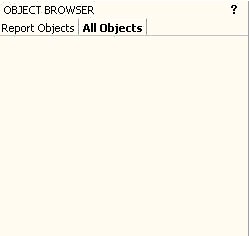
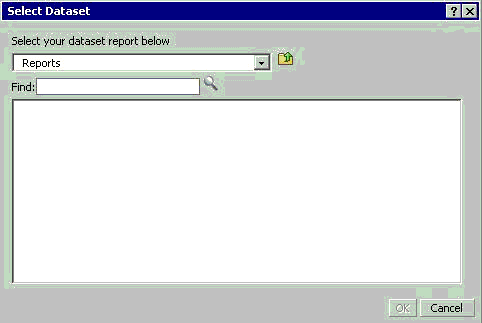
The same error results if the above SQL statement is run from Strategy ODBC Test tool. The same issue occurs when recursive searches are performed from Strategy Web as well, except that the above error message does not appear on the interface, but is recorded in the DSSErrors.log. Instead, the Object Browser "All Objects" window and "Select Dataset" dialog box are empty when editing or creating new reports or Report Services Documents, as shown in the screen-shots below:

ka02R000000kYYWQA2_0EM440000002Bis.gif
ka02R000000kYYWQA2_0EM440000002OhS.gif

CAUSE:
The issue occurs because there is no user temporary tablespace with a pagesize of at least 4096 bytes (4K), or, the user account for the metadata database does not have access to such a tablespace. The user temporary tablespace is needed by the DB2 database for creation of temporary tables for that user.
ACTION:
The following steps should resolve the issue:

  1. Create a buffer pool with a pagesize of at least 4K (4096 bytes)
  2. Allocate a user temporary tablespace in that buffer pool that can be used by the user account for the metadata database.

Third Party Software Installation:
WARNING:
The third-party product(s) discussed in this technical note is manufactured by vendors independent of Strategy. Strategy makes no warranty, express, implied or otherwise, regarding this product, including its performance or reliability.
 
11891


Comment

0 comments

Details

Knowledge Article

Published:

June 7, 2017

Last Updated:

June 7, 2017