A Strategy Report Services document contains objects representing data coming from one or more reports as well as positioning and formatting information. It is used to format data from multiple reports in a single display of presentation quality.
When a document is created, the user can specify the data that appears; control the layout, formatting, grouping, and subtotaling of data; specify the position of page breaks. Additionaly, pictures can be inserted borders drawn in the document. Strategy Report Services documents offer dynamic functionality and the flexibility to design documents with headers/footers, filters, and prompts. These documents can be executed in PDF, seen in Strategy Web and exported to Excel. All of these capabilities allow a user to create reports that are suitable for presentation to management for printing boardroom quality material.
HTML documents in the Strategy platform are HTML shells into which a user can place Strategy reports and other graphics. Users control the formatting and appearance of HTML documents with style sheets.
There are no certain scenarios when one document should be used over the other.
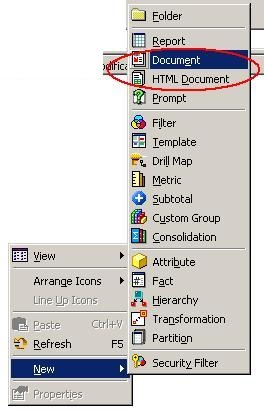
As seen below, in order to create a Strategy Report Services document, choose a new 'Document.' In order to create an HTML document, choose a new 'HTML Document.'
For more information, refer to the Strategy Product Manuals and look for Document Creation Guide.
