SYMPTOM:
A user wishes to manually activate a Strategy 9.x or 10.x installation. Follow the steps below:
When entering the Activation Code in Strategy License Manager the user receives the following message:
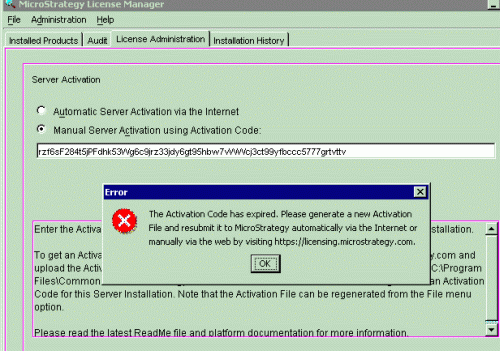
"The Activation Code has expired. Please generate a new Activation File and resubmit it to Strategy automatically via the Internet or manually via the web by visiting https://licensing.Strategy.com"
ACTION:
Regenerate a new activation file (Activate.xml) from Strategy License Manager, request a new activation code and reactivate the installation by applying this new code through License Manager.
KB12551
