EducationSoftwareStrategy.com
StrategyCommunity

Knowledge Base

Product

Community

Knowledge Base

TopicsBrowse ArticlesDeveloper Zone

Product

Download SoftwareProduct DocumentationSecurity Hub

Education

Tutorial VideosSolution GalleryEducation courses

Community

GuidelinesGrandmastersEvents
x_social-icon_white.svglinkedin_social-icon_white.svg
Strategy logoCommunity

© Strategy Inc. All Rights Reserved.

LegalTerms of UsePrivacy Policy
  1. Home
  2. Topics

KB12668: Using ’*’ (asterisk) as the wildcard character for pattern matching works in Microsoft Access but not in MicroStrategy Developer 9.4.1 and 10.x reports


Stefan Zepeda

Salesforce Solutions Architect • Strategy


Using ’*’ (asterisk) as the wildcard character for pattern matching works in Microsoft Access but not in MicroStrategy Developer 9.4.1 and 10.x reports

SYMPTOM
When reports using attributes created from Logical Views are executed, they do not return any data, whereas, the SQL generated returns data directly in Microsoft Access. Certain reports return the ODBC error, 'Too few parameters. Expected 1.'
 
STEPS TO REPRODUCE
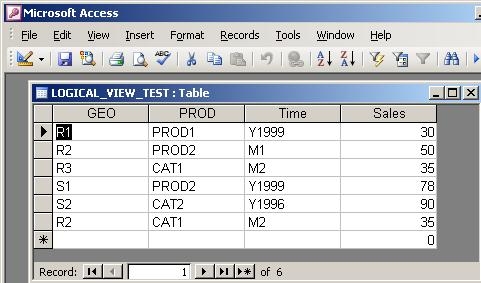
  • Create a table called 'LOGICAL_VIEW_TEST' in the Microsoft Access database, used as the Strategy Tutorial project warehouse, as shown below:
ka02R000000kcL2QAI_0EM440000002FdJ.jpeg
  • Bring the table into the project using the Warehouse Catalog.
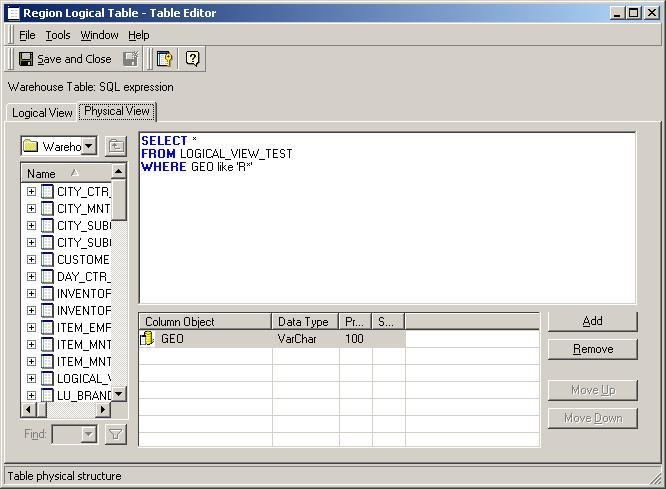
  • Create a logical view on top of this table to extract from the GEO column any value beginning with 'R', as shown below:
ka02R000000kcL2QAI_0EM440000002FdD.jpeg
  •  
    The SQL used is as follows:
    
    SELECT * FROM LOGICAL_VIEW_TEST WHERE GEO like 'R*'
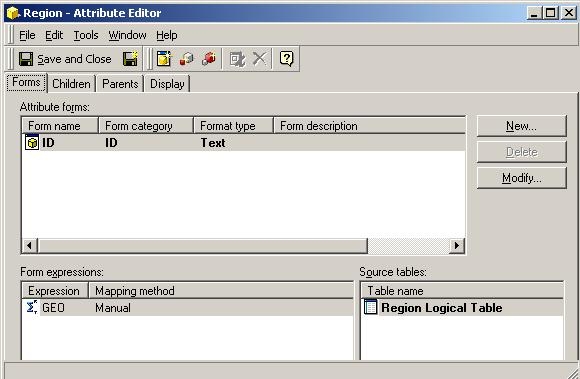
     
  • Define an attribute called 'Region' on top of this, and point only to this table, as shown below:
ka02R000000kcL2QAI_0EM440000002FdO.jpeg
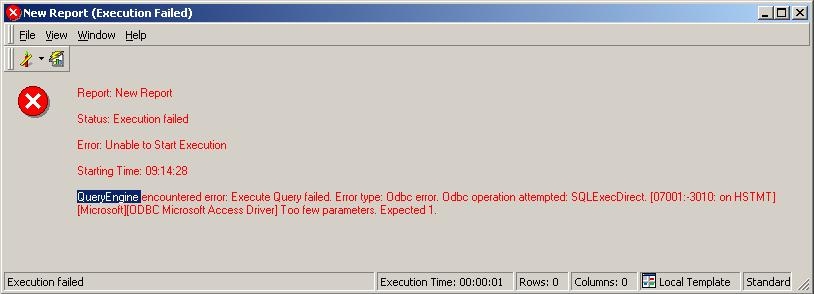
  • Execute a report with just the 'Region' attribute created in the previous steps and notice that no data is retuned, as shown below:
ka02R000000kcL2QAI_0EM440000002FdM.jpeg
  •  
    
    QueryEngine encountered error: Execute Query failed: Odbc error. Odbc operation attempted: SQLExecDirect. Too few parameters. Expected 1.

     
  • The following SQL is generated:
    
    select a11. AS GEO from (SELECT * FROM LOGICAL_VIEW_TEST WHERE GEO like 'R*' ) a11
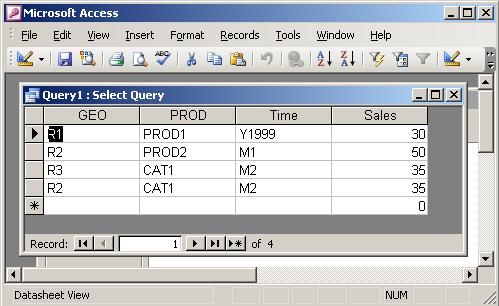
     
  • Running the SQL used to create the Logical View in the Query tool in Microsoft Access returns the expected data.
ka02R000000kcL2QAI_0EM440000002Fd8.jpeg

CAUSE
Microsoft Access uses the '%' (percentage) sign as the wildcard character for pattern matching and not the '*' (asterisk).
 
ACTION
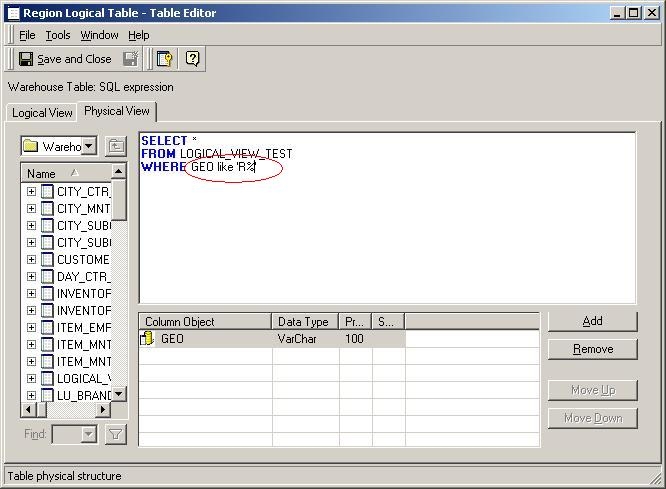
Redefine the Logical View using the following SQL, replacing the asterisk with the percent sign, as shown below:
ka02R000000kcL2QAI_0EM440000002FdK.jpeg


SELECT * FROM LOGICAL_VIEW_TEST WHERE GEO like 'R%'
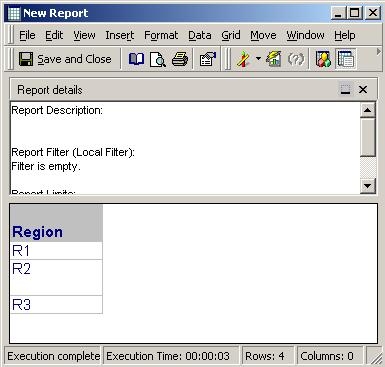
 

Executing the previous report, after updating the schema, will return the expected results, as shown below:

ka02R000000kcL2QAI_0EM440000002FdA.jpeg


Comment

0 comments

Details

Knowledge Article

Published:

May 9, 2017

Last Updated:

May 9, 2017