SYMPTOM
User encounters the following error message when configuring a Strategy Narrowcast Server 8.x Subscription Portal:
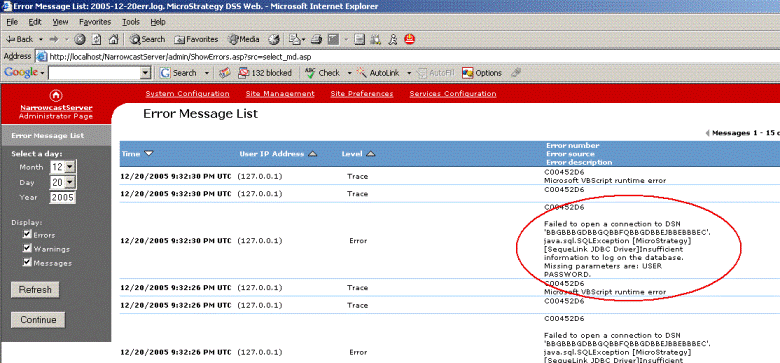
Failed to open a connection to DSN 'xxxxxxxxxxxxxxxxxxxxxxx' java.sql.SQLException SequeLink JDBC Driver]Insufficient information to log on the database. Missing parameters are: USER PASSWORD
CAUSE
This error message is caused by SequeLink Datasource's DataSourceLogonMethod Attribute. The SequeLink Attribute's logon method does not match the database logon method.
ACTION
Users can change the Datasource's security setting with the SequeLink manager by following the steps below:


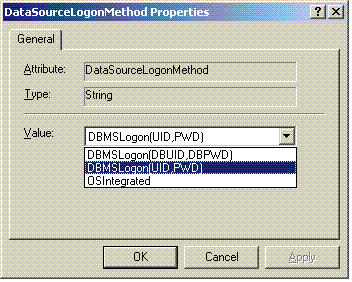

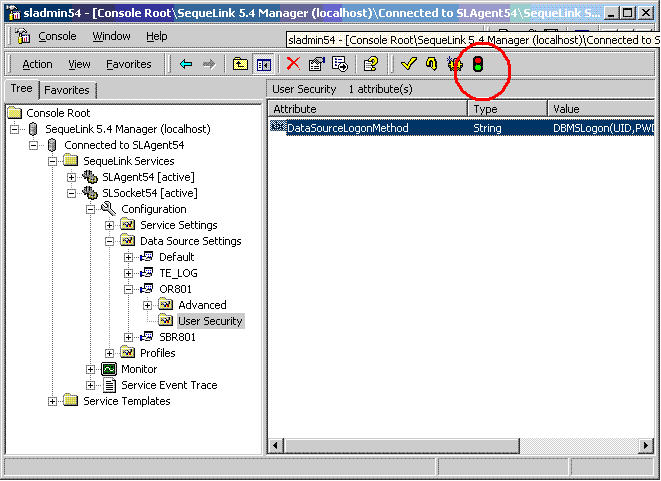
After restarting the SequeLink Service, the user will no longer receive the error message when configuring the Subscription Portal.
Article Reference Number:
KB12706
