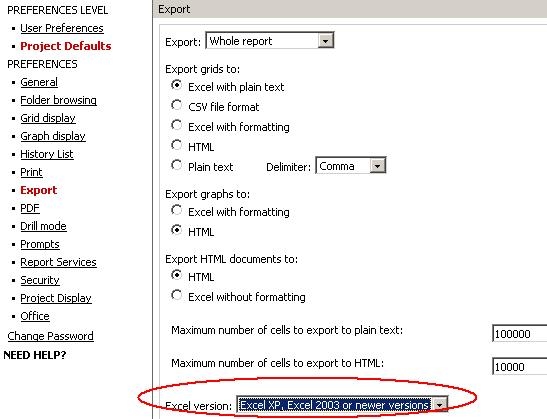
To see page-by results on separate worksheets when exporting to Excel in Strategy Web 9.x, first go to Preferences -> Project Defaults -> Export and make sure the Excel version is chosen to be Excel XP, 2003 and newer, as shown below:
Now execute the report and export it. Choose the option to place each page on a separate sheet, as shown below:
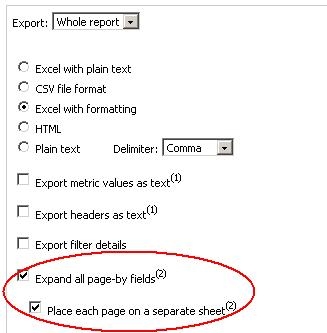
Note: If the Excel version is not selected to be Excel XP, 2003 and newer in Preferences, the option 'Place each page on a separate sheet' will not appear.
