SYMPTOM:
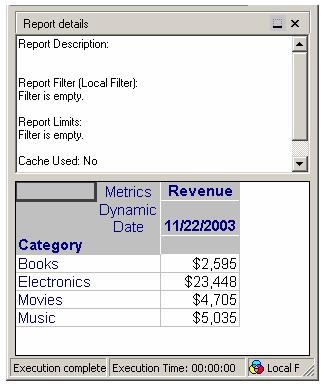
Consider the following report with the attributes Category and Dynamic Date and the metric Revenue, as shown below:
The user navigates to the Data menu -> Advanced Sorting and changes the Row Sorting definition to the following:
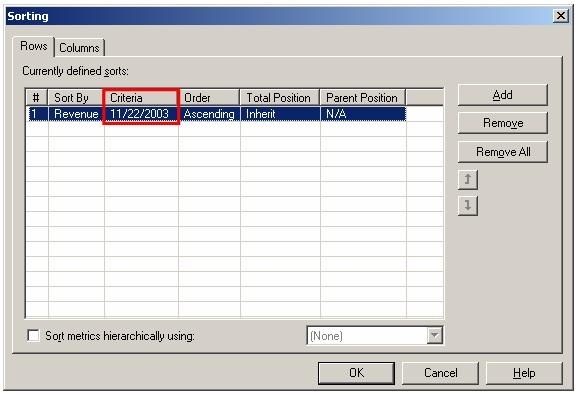
NOTE: The Advanced Sorting Criteria has the value for the Dynamic Date.
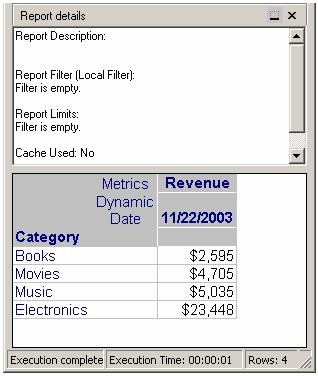
After changing the Advanced Sorting definitions, the report result set appears as follows:
If the Dynamic Date value is changed to 11/23/2003, then the report result set changes to appear as follows:
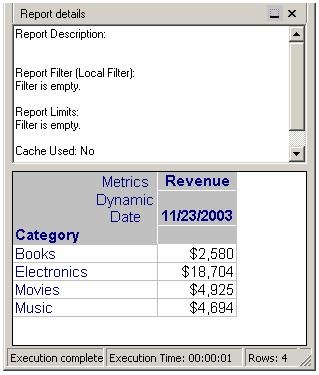
NOTE: The values return to the Default sorting as seen in the original report.
The Advanced Sorting tab does not change and now appears as follows:
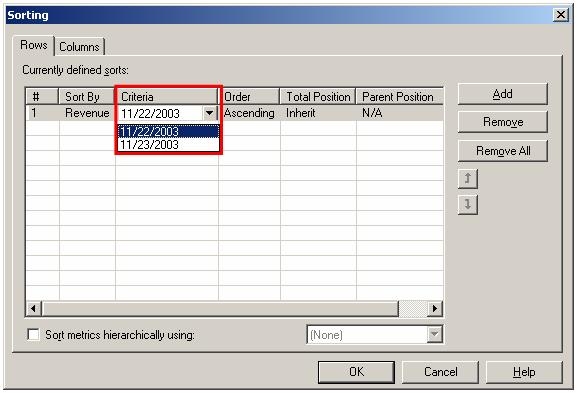
NOTE: The Advanced Sorting tab keeps the old value in the Criteria section. When this section is expanded by pressing the pull down button, the new value is available for selecting. Once this new value is selected the report becomes correct.
CAUSE:
This is a known issue in Strategy Developer 9.x.
ACTION:
Contact Strategy Technical Support for an update on the status of this issue.
WORKAROUND:
To workaround this issue, manually select the new value for the dynamic attribute in the Advanced Sorting dialogue box.
