SYMPTOM:
When clicking on a blank report template in Strategy Web, a Web Analyst user encounters the following error message:

Error in report results
(Error(s) occurred while loading report: DSSSQLEngine: converting Report : The template in the report is empty, or the objects on template can not be resolved. Please check the report definition..Error in Process Method of Component: SQLEngineServer, Project Strategy Tutorial, Job 166, Error Code = -2147212797.)
STEPS TO REPRODUCE
Follow the steps below to reproduce this issue using the Strategy Tutorial project:
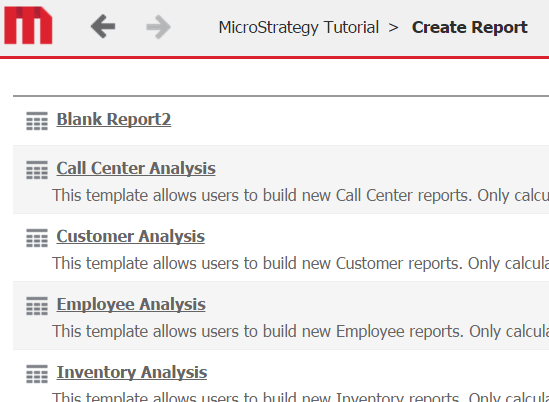
The error will then occur.
CAUSE
This is working as designed. Web Analyst user may have a privilege to build a new report based on the Report Builder. However, Blank Report2 in this example does not have any object prompt for the user to answer. This means that Blan Report2 needs to be opened in Design Mode, which is not a part of Web Analyst privileges.
ACTION
To be able to open the report in Design Mode, the user must be granted the following privileges which belong to Web Professional:
To be able to browse for attributes and metrics, the user must be granted the following Web Professional privilege:
If granting additional privilege is not a viable option, avoid making such template report that needs to be opened in Design Mode.
