SYMPTOM:
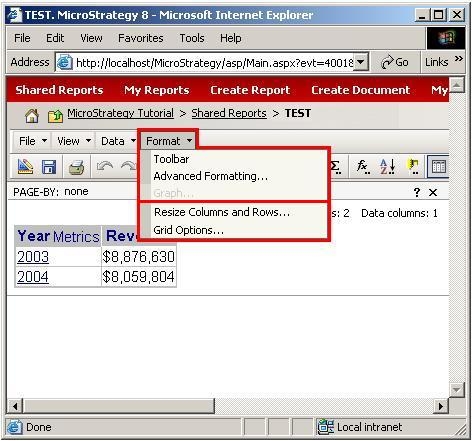
Users are unable to use the Advanced Formatting and Toolbar options in the Format menu bar because they are either missing or grayed out, as shown below:

CAUSE:
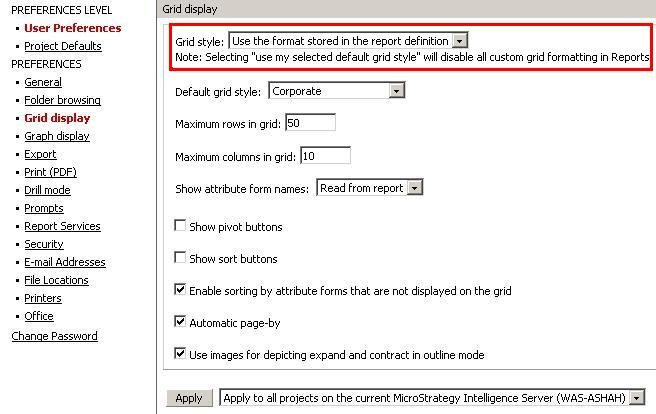
This occurs because the Preferences -> Grid display -> Grid Style preference setting is set to 'Use my selected default grid style,' as shown below:

NOTE: Selecting 'Use my selected default grid style' disables all custom grid formatting in reports.
ACTION:
Change the Preferences -> Grid display -> Grid Style preference setting to 'Use the format stored in the report definition' and click the Apply button, as shown below:
The Toolbar and Advanced Formatting options should no longer be grayed out or missing, as shown below: