Installing, modifying, or upgrading Strategy Intelligence Server installations will automatically generate an Activation XML file that contains information about the installation. This file called Activate.xml is located in the \Program Files\Common Files\Strategy folder. During server activation, this XML file, also called the 'Activation File is uploaded to Strategy either automatically by the installation routine or through Strategy License Manager; or by manually uploading the Activation File through a web browser via a secure web site, https://licensing.Strategy.com. The server activation process may be completed in one of the following ways:
In some situations, the Activate.xml may need to be generated manually (essentially re-generated) because of hardware changes on the machine or because the current version of the file is corrupted. The following sections outline the process to do so in Strategy 9.x.
In Strategy 9.x - 10.x, the Activation file is automatically re-generated anytime user goes through the process of requesting an Activation Code through Strategy License Manager, as shown below:
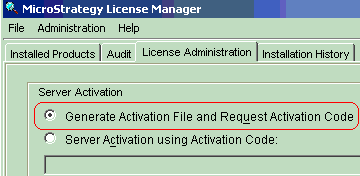
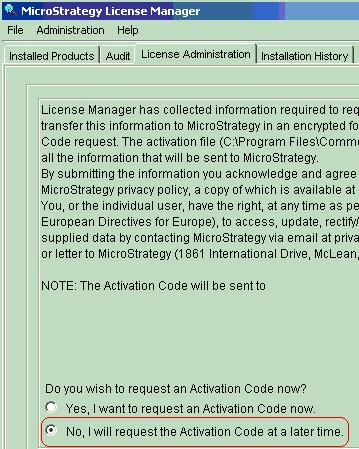
Users may need to go through the process of manual activation because the machine does not have internet access. For this situation in the Strategy Intelligence Server 9.x -10.x, users should follow the steps below to regenerate the Activation file:
KB13421
