SYMPTOM
A user with administrative privileges does not see the Administration icon underneath the project source, and does not have a full list of project configuration options in Strategy Developer 9.4.1 and 10.x, as shown below:
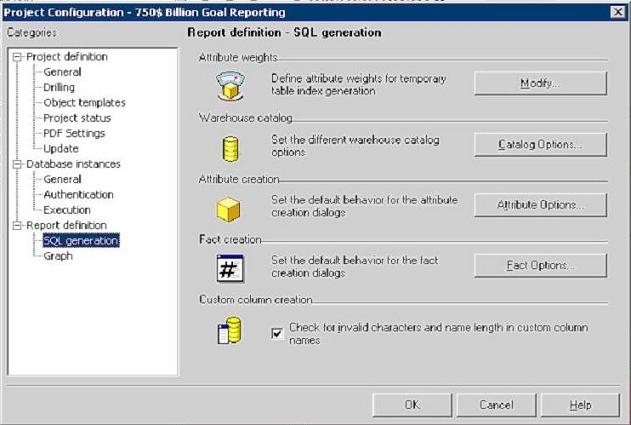
The Administrator should normally see the following options for Project Configuration:

CAUSE
This indicates that the Strategy 9.4.1 and 10.x Server Administrator component was not installed.
ACTION
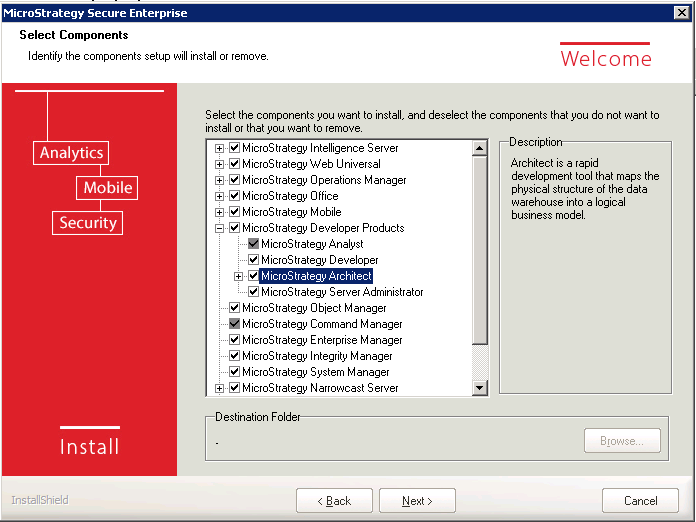
Go into Add/Remove programs, and modify the Strategy installation. Under Developer Components, check Server Administrator and complete the Installation Wizard, as shown below: